
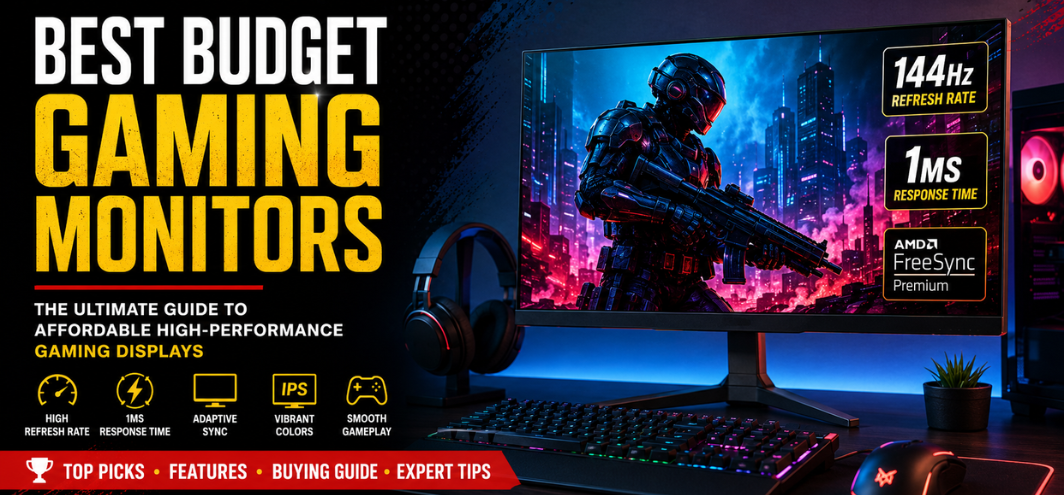
Gaming has evolved into an intensely competitive and visually immersive experience where display quality directly impacts performance, responsiveness, and overall gameplay satisfaction. Choosing the best budget gaming monitor is no longer about settling for low-end specifications or compromising on essential gaming features. Modern affordable gaming monitors now deliver exceptional refresh rates, ultra-fast response times, vibrant color reproduction, adaptive sync technologies, and immersive visuals at highly competitive prices.
Whether we are competing in fast-paced esports titles, exploring expansive open-world adventures, streaming content, or multitasking for productivity, a high-quality gaming monitor dramatically enhances every aspect of the experience. Fortunately, the market now offers powerful budget gaming monitors that rival premium displays in speed, clarity, and visual performance.
This comprehensive guide explores the best budget gaming monitors, key features to consider, panel technologies, refresh rates, response times, gaming resolutions, connectivity options, and expert buying recommendations designed to help gamers maximize performance without overspending.
Why Budget Gaming Monitors Matter
A gaming monitor acts as the visual bridge between hardware performance and user interaction. Even a powerful gaming PC or console cannot reach its full potential when paired with a poor-quality display.
Modern budget gaming monitors now provide:
- High refresh rates
- Low input lag
- Fast response times
- Adaptive sync technology
- Excellent color accuracy
- Full HD and QHD resolutions
- HDR support
- Curved immersive designs
- Affordable pricing
The result is smoother gameplay, reduced motion blur, faster reaction times, and dramatically improved visual clarity.
Key Features to Look for in the Best Budget Gaming Monitor
1. Refresh Rate
Refresh rate determines how many times per second the display updates the image.
Common Refresh Rates:
| Refresh Rate | Best Use |
|---|---|
| 60Hz | Casual gaming |
| 75Hz | Entry-level smooth gaming |
| 120Hz | Console gaming |
| 144Hz | Competitive gaming |
| 165Hz | Esports performance |
| 240Hz | Professional competitive gaming |
For most gamers, 144Hz represents the ideal balance between affordability and competitive responsiveness.
2. Response Time
Response time measures how quickly pixels transition between colors.
Recommended Response Times:
- 1ms — Best for esports
- 3ms–5ms — Excellent for casual and competitive gaming
- Above 5ms — Can introduce ghosting
Lower response times reduce motion blur and improve tracking accuracy during fast gameplay.
3. Resolution
Resolution impacts image sharpness and visual detail.
Popular Gaming Resolutions:
| Resolution | Pixels | Ideal Usage |
|---|---|---|
| 1080p | 1920×1080 | Budget gaming |
| 1440p | 2560×1440 | High-detail gaming |
| 4K | 3840×2160 | Premium immersive gaming |
Most budget gaming monitors focus on 1080p, which remains ideal for competitive gaming and mid-range GPUs.
Best Panel Types for Budget Gaming Monitors
TN Panels
Advantages:
- Extremely fast response times
- Affordable pricing
- Excellent esports performance
Disadvantages:
- Limited viewing angles
- Weaker color accuracy
Best suited for competitive FPS gamers prioritizing speed.
IPS Panels
Advantages:
- Superior color reproduction
- Wide viewing angles
- Balanced gaming performance
Disadvantages:
- Slightly higher pricing
- Slower than TN in older models
Modern IPS gaming monitors now achieve ultra-fast response times while maintaining excellent image quality.
VA Panels
Advantages:
- Deep blacks
- High contrast ratios
- Immersive visuals
Disadvantages:
- Potential ghosting
- Slower pixel transitions
Excellent for RPGs, cinematic gaming, and entertainment.
Top Best Budget Gaming Monitors in 2026
1. Acer Nitro VG240Y
Key Specifications:
- 23.8-inch IPS display
- 165Hz refresh rate
- 1ms VRB response time
- AMD FreeSync Premium
- Full HD resolution
Why It Stands Out
The Acer Nitro VG240Y delivers outstanding value by combining fast refresh rates with IPS color accuracy. Competitive gamers benefit from smooth frame transitions, while casual users enjoy vibrant visuals and excellent viewing angles.
Best For:
- Competitive FPS gaming
- Budget esports setups
- Entry-level streamers
2. LG UltraGear 24GN650
Key Specifications:
- 144Hz refresh rate
- IPS panel
- 1ms response time
- HDR10 support
- FreeSync Premium
Performance Highlights
LG’s UltraGear lineup has become synonymous with affordable gaming excellence. The 24GN650 offers superb motion handling, minimal input lag, and excellent image calibration out of the box.
Best For:
- PlayStation 5 gaming
- Xbox Series X gaming
- PC esports titles
3. MSI G2412
Key Specifications:
- 170Hz refresh rate
- Rapid IPS panel
- Full HD resolution
- Wide color gamut
- Adaptive Sync
Gaming Experience
The MSI G2412 focuses heavily on speed and fluidity while preserving accurate color reproduction. The slim-bezel design also makes it ideal for dual-monitor gaming setups.
Best For:
- Valorant
- CS2
- Apex Legends
- Fortnite
4. ASUS TUF Gaming VG249Q1A
Key Specifications:
- 165Hz refresh rate
- Extreme Low Motion Blur
- IPS technology
- FreeSync Premium
- Shadow Boost technology
Why Gamers Love It
ASUS TUF monitors prioritize competitive optimization with features specifically designed for visibility enhancement and reduced motion blur during fast gameplay sequences.
Best For:
- Esports tournaments
- Fast-paced shooters
- Competitive ranked gaming
5. Gigabyte G24F 2
Key Specifications:
- 180Hz refresh rate
- IPS display
- 1ms response time
- USB hub support
- HDR-ready
Performance Advantages
Gigabyte delivers exceptional performance-per-dollar value with high refresh rate capabilities and premium connectivity features rarely found in budget gaming displays.
Best For:
- High-FPS gaming
- Streaming setups
- Multi-device connectivity
Best Budget Gaming Monitor Sizes
24-Inch Gaming Monitors
24-inch displays remain the gold standard for competitive gaming.
Advantages:
- Easier eye tracking
- Sharper pixel density at 1080p
- Compact desk compatibility
- Lower pricing
Ideal for esports-focused gamers.
27-Inch Gaming Monitors
27-inch displays provide greater immersion and multitasking capabilities.
Advantages:
- Larger field of view
- Better cinematic immersion
- Improved productivity
Best paired with 1440p resolution for sharper visuals.
Curved vs Flat Gaming Monitors
Curved Gaming Monitors
Advantages:
- Enhanced immersion
- Better peripheral viewing
- Reduced eye strain
Disadvantages:
- Higher pricing
- Less ideal for esports
Flat Gaming Monitors
Advantages:
- Better for competitive gaming
- Lower cost
- Accurate geometry
Flat monitors remain the preferred choice for professional esports players.
Adaptive Sync Technologies Explained
AMD FreeSync
FreeSync synchronizes monitor refresh rates with GPU frame output to eliminate screen tearing.
Benefits:
- Smooth gameplay
- Reduced stuttering
- Lower input latency
NVIDIA G-SYNC Compatible
Many budget monitors now support G-SYNC compatibility even without native G-SYNC modules.
Benefits:
- Tear-free gameplay
- Improved frame consistency
- Enhanced competitive responsiveness
Best Budget Gaming Monitor for Different Gaming Genres
Best for FPS Games
Recommended Features:
- 144Hz or higher
- 1ms response time
- TN or Fast IPS panel
Ideal Games:
- Valorant
- Counter-Strike 2
- Call of Duty
- Rainbow Six Siege
Best for RPG and Open-World Games
Recommended Features:
- IPS or VA panel
- HDR support
- Larger screen size
Ideal Games:
- Elden Ring
- Cyberpunk 2077
- Red Dead Redemption 2
- The Witcher 3
Best for Console Gaming
Recommended Features:
- HDMI 2.1 support
- 120Hz refresh rate
- HDR compatibility
Ideal Consoles:
- PlayStation 5
- Xbox Series X
1080p vs 1440p Budget Gaming Monitors
1080p Gaming Monitors
Advantages:
- Affordable
- Easier GPU requirements
- Higher FPS
Best For:
- Competitive gaming
- Budget PCs
- Esports
1440p Gaming Monitors
Advantages:
- Sharper visuals
- Better immersion
- More screen space
Best For:
- AAA gaming
- Productivity
- Content creation
HDR in Budget Gaming Monitors
High Dynamic Range improves brightness, contrast, and color depth.
Benefits:
- More realistic visuals
- Enhanced shadow detail
- Brighter highlights
However, entry-level HDR implementations vary significantly in quality. True HDR performance generally requires higher brightness levels and local dimming support.
Connectivity Options to Consider
HDMI
Essential for:
- Consoles
- Laptops
- Streaming devices
DisplayPort
Preferred for:
- High refresh rate PC gaming
- G-SYNC support
- Multi-monitor setups
USB Hubs
Useful for:
- Peripheral management
- Cable organization
- Streamer setups
Best Budget Gaming Monitor Brands
Acer
Known for:
- Affordable Nitro series
- Strong gaming performance
- Excellent pricing
LG
Known for:
- Outstanding IPS panels
- UltraGear gaming lineup
- Superb color accuracy
ASUS
Known for:
- TUF Gaming series
- Competitive gaming features
- Reliability
MSI
Known for:
- Esports-focused displays
- High refresh rate options
- Stylish gaming aesthetics
Gigabyte
Known for:
- Excellent value
- Competitive refresh rates
- Gamer-centric features
How to Choose the Best Budget Gaming Monitor
Determine Your Gaming Style
Competitive Gamers Need:
- 144Hz+
- 1ms response time
- Low input lag
Casual Gamers Need:
- Better visuals
- IPS panels
- Larger displays
Match Monitor to GPU Power
A powerful monitor cannot compensate for weak hardware.
Recommended Pairings:
| GPU Tier | Recommended Resolution |
|---|---|
| Entry-level | 1080p |
| Mid-range | 1440p |
| High-end | 4K |
Check Ergonomics
Important ergonomic features include:
- Height adjustment
- Tilt adjustment
- VESA mounting
- Blue light filters
Budget Gaming Monitor Buying Mistakes to Avoid
Ignoring Refresh Rate
A high refresh rate dramatically improves gaming responsiveness.
Choosing Resolution Over Performance
1440p may reduce FPS significantly on weaker GPUs.
Overlooking Adaptive Sync
FreeSync and G-SYNC compatibility substantially improve smoothness.
Ignoring Connectivity
Ensure sufficient HDMI and DisplayPort options exist for future expansion.
Best Budget Gaming Monitors Under Different Price Ranges
Best Gaming Monitors Under ₹10,000
Recommended Models:
- Acer EK220Q
- MSI PRO MP223
- LG 22MP400
Best for entry-level gamers.
Best Gaming Monitors Under ₹15,000
Recommended Models:
- Acer Nitro VG240Y
- MSI G2412
- ASUS TUF VG249Q1A
Best balance of performance and affordability.
Best Gaming Monitors Under ₹20,000
Recommended Models:
- Gigabyte G24F 2
- LG UltraGear 27GN800
- MSI MAG275QF
Excellent for high-refresh-rate and QHD gaming.
Future Trends in Budget Gaming Monitors
The gaming monitor industry continues evolving rapidly.
Emerging Trends:
- OLED gaming displays
- Mini-LED backlighting
- 240Hz affordable panels
- AI gaming enhancements
- Ultra-wide budget monitors
As manufacturing improves, premium technologies continue becoming more affordable.
Why High Refresh Rate Gaming Matters
Higher refresh rates directly improve:
- Target tracking
- Motion clarity
- Reaction speed
- Competitive accuracy
Competitive gamers gain measurable advantages using 144Hz+ displays over traditional 60Hz monitors.
Best Budget Gaming Monitor Setup Tips
Optimize Refresh Rate Settings
Always enable the maximum refresh rate inside:
- Windows Display Settings
- NVIDIA Control Panel
- AMD Radeon Software
Use DisplayPort When Possible
DisplayPort often supports:
- Higher refresh rates
- Better adaptive sync support
- Improved bandwidth
Adjust Monitor Calibration
Proper calibration improves:
- Color accuracy
- Visibility
- Contrast balance
Conclusion
The modern market for the best budget gaming monitors has transformed dramatically, offering exceptional gaming performance at highly accessible prices. Today’s affordable gaming monitors provide ultra-fast refresh rates, responsive panels, adaptive sync technologies, immersive visuals, and impressive build quality that previously existed only in premium models.
Whether we prioritize esports-level speed, immersive cinematic visuals, console compatibility, or productivity versatility, there is now a budget gaming monitor perfectly suited for every gaming style and performance requirement.
Investing in the right gaming monitor enhances every frame, every movement, and every competitive advantage. By focusing on refresh rate, response time, panel technology, resolution, and adaptive sync compatibility, gamers can build a high-performance setup without exceeding their budget.
FAQs
1. What is the best refresh rate for gaming?
144Hz is considered the ideal balance for most gamers.
2. Is 1080p good for gaming in 2026?
Yes, 1080p remains excellent for competitive gaming and budget setups.
3. Are IPS gaming monitors worth it?
Yes, IPS monitors provide better colors and viewing angles.
4. Is 1ms response time important?
Yes, especially for competitive gaming.
5. What size monitor is best for gaming?
24-inch and 27-inch monitors are the most popular options.
6. Is curved better for gaming?
Curved monitors improve immersion but are less essential for esports.
7. What is FreeSync?
AMD FreeSync prevents screen tearing during gameplay.
8. What is G-SYNC Compatible?
It allows NVIDIA GPUs to use adaptive sync on supported monitors.
9. Is HDR necessary for gaming?
HDR improves visuals but is optional for competitive gaming.
10. Can budget monitors support 165Hz?
Yes, many affordable gaming monitors now support 165Hz.
11. What panel type is best for gaming?
Fast IPS panels offer the best balance.
12. Are VA panels good for gaming?
Yes, especially for immersive and cinematic experiences.
13. Is HDMI enough for 144Hz gaming?
Modern HDMI versions can support high refresh rates.
14. Should I buy 1440p or 1080p?
Choose based on GPU capability and budget.
15. Do gaming monitors improve FPS?
They improve visual smoothness but not actual GPU-rendered FPS.
16. Is 75Hz enough for gaming?
Yes for casual gaming, but 144Hz is much smoother.
17. What is motion blur reduction?
Technology that improves motion clarity during fast movement.
18. Do gaming monitors help in esports?
Yes, high refresh rates improve competitive responsiveness.
19. Are cheap gaming monitors reliable?
Many modern budget monitors offer excellent reliability.
20. What is input lag?
Delay between user input and screen response.
21. Can consoles use gaming monitors?
Yes, gaming monitors work excellently with consoles.
22. What brightness is ideal?
250–400 nits is sufficient for most gamers.
23. Should I prioritize refresh rate or resolution?
Competitive gamers should prioritize refresh rate.
24. Is a 240Hz monitor worth it?
Primarily for professional esports players.
25. What is the best budget gaming monitor overall?
The Acer Nitro VG240Y and LG UltraGear 24GN650 remain exceptional value choices.