
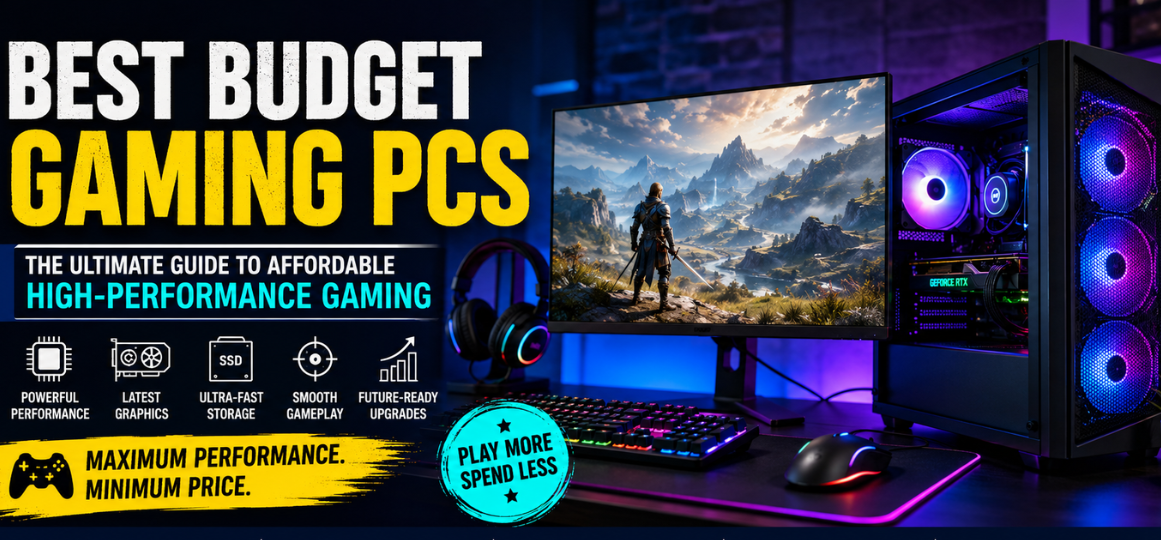
Gaming has evolved dramatically over the past decade, transforming from a casual hobby into a highly immersive competitive experience that demands powerful hardware. Fortunately, modern technology has made it possible to build or buy the best budget gaming PCs without spending a fortune. Today’s affordable gaming desktops can deliver impressive frame rates, smooth gameplay, excellent multitasking performance, and future-ready upgrade paths at prices that were once unimaginable.
Whether we are exploring massive open-world adventures, competing in fast-paced esports tournaments, streaming gameplay online, or creating content, a well-balanced budget gaming PC can provide exceptional value while maintaining strong gaming performance. The modern market is filled with affordable processors, powerful graphics cards, high-speed SSDs, and efficient cooling solutions that allow gamers to enjoy premium gaming experiences on a realistic budget.
In this comprehensive guide, we explore everything about the best budget gaming PCs, including performance expectations, recommended specifications, gaming capabilities, upgrade potential, buying tips, and the top affordable gaming PC options available today.
Why Budget Gaming PCs Are More Powerful Than Ever
The budget gaming PC market has become extremely competitive. Manufacturers now offer entry-level and mid-range gaming desktops packed with features that were previously exclusive to high-end systems.
Modern affordable gaming PCs now include:
- High-refresh-rate gaming support
- Fast NVMe SSD storage
- Powerful multi-core processors
- Dedicated gaming GPUs
- Upgradeable motherboards
- Efficient cooling systems
- RGB aesthetics
- Wi-Fi and Bluetooth connectivity
- Ray tracing support
- 1080p and 1440p gaming capabilities
Budget gaming no longer means compromising heavily on performance. With the right configuration, even affordable systems can handle modern AAA games smoothly.
What Defines a Budget Gaming PC
A budget gaming PC is generally a gaming desktop that balances affordability and performance. These systems are designed to deliver excellent gaming experiences without the premium pricing associated with enthusiast-level hardware.
Most budget gaming PCs focus on:
| Feature | Budget Gaming PC Goal |
|---|---|
| Resolution | 1080p Gaming |
| Frame Rate | 60–144 FPS |
| GPU | Mid-range graphics card |
| CPU | 4 to 8 core processor |
| RAM | 16GB preferred |
| Storage | SSD-based storage |
| Upgradeability | Future hardware support |
| Cooling | Basic but effective airflow |
The goal is maximizing gaming value per dollar spent.
Best Budget Gaming PC Specifications for Modern Gaming
Processor (CPU)
The processor is the brain of the gaming PC. Modern games benefit from strong single-core performance and multiple cores for multitasking.
Recommended Budget Gaming CPUs
- AMD Ryzen 5 series
- Intel Core i5 series
- Ryzen 7 entry models
- Intel Core i3 latest generation
Ideal Budget CPU Features
- Minimum 6 cores
- High boost clock speeds
- Efficient thermal performance
- Future upgrade compatibility
Modern CPUs provide enough power for gaming, streaming, video editing, and productivity tasks simultaneously.
Graphics Card (GPU)
The graphics card has the biggest impact on gaming performance.
Best Budget Gaming GPU Categories
- NVIDIA GeForce RTX 4060
- RTX 3050
- AMD Radeon RX 7600
- Radeon RX 6650 XT
- Intel Arc series
These GPUs can handle:
- Competitive esports gaming
- AAA gaming at high settings
- Ray tracing entry-level performance
- Streaming workloads
- Creative software acceleration
RAM
Memory capacity directly affects multitasking and game stability.
Recommended RAM for Budget Gaming PCs
| Usage Type | Recommended RAM |
|---|---|
| Entry Gaming | 8GB |
| Modern Gaming | 16GB |
| Streaming + Gaming | 32GB |
DDR4 remains excellent for budget systems, while DDR5 offers future-proofing.
Storage
Solid-state drives have become essential.
Recommended Storage Setup
- 500GB NVMe SSD minimum
- 1TB SSD ideal
- Optional HDD for mass storage
Benefits include:
- Faster game loading
- Better system responsiveness
- Reduced boot times
- Faster updates and installations
Best Budget Gaming PCs for 1080p Gaming
1080p remains the most popular gaming resolution worldwide because it offers excellent performance without requiring expensive hardware.
Ideal 1080p Budget Gaming Performance
| Game Type | Expected FPS |
|---|---|
| Esports Titles | 144–300 FPS |
| AAA Games | 60–120 FPS |
| Indie Games | 120+ FPS |
| Battle Royale Games | 90–165 FPS |
Budget gaming PCs excel at:
- Valorant
- Fortnite
- Apex Legends
- CS2
- Call of Duty Warzone
- GTA V
- Minecraft
- Roblox
- Overwatch 2
- League of Legends
Best Budget Gaming PCs for 1440p Gaming
Affordable gaming hardware has improved enough to make 1440p gaming increasingly accessible.
Recommended Hardware for Budget 1440p Gaming
- RTX 4060
- RX 7700 XT
- Ryzen 5 7600
- Intel Core i5 13400F
- 16GB DDR5 RAM
1440p gaming provides:
- Sharper visuals
- Better texture quality
- Improved immersion
- Superior monitor clarity
Prebuilt vs Custom Budget Gaming PCs
Prebuilt Gaming PCs
Advantages
- Ready to use
- Warranty support
- Professional cable management
- Operating system included
- Easier for beginners
Disadvantages
- Limited customization
- Sometimes weaker power supplies
- Slightly higher pricing
Custom Gaming PCs
Advantages
- Better performance-per-dollar
- Full component control
- Easier future upgrades
- Better cooling options
- Higher-quality parts
Disadvantages
- Assembly required
- Troubleshooting responsibility
- Windows license may cost extra
Best Budget Gaming PC Components Breakdown
Motherboard
A good motherboard ensures stability and upgrade flexibility.
Key Features
- PCIe Gen 4 support
- Multiple M.2 SSD slots
- USB-C connectivity
- VRM cooling
- Wi-Fi support
Power Supply (PSU)
The power supply is critical for stability and safety.
Recommended PSU Standards
| Gaming Tier | Recommended Wattage |
|---|---|
| Entry-Level | 550W |
| Mid-Range | 650W |
| Future Upgrades | 750W |
Always prioritize:
- 80 Plus Bronze or Gold certification
- Trusted brands
- Reliable voltage stability
Cooling System
Thermals significantly impact gaming performance.
Cooling Recommendations
- Mesh front panel cases
- At least 2 intake fans
- Tower CPU coolers
- Good airflow management
Effective cooling improves:
- System longevity
- Frame consistency
- Noise levels
- Upgrade flexibility
Best Budget Gaming PCs for Esports
Esports gaming prioritizes ultra-high frame rates and low latency.
Ideal Esports Gaming Setup
| Component | Recommendation |
|---|---|
| CPU | Ryzen 5 / Core i5 |
| GPU | RTX 4060 / RX 7600 |
| Monitor | 144Hz or 240Hz |
| RAM | 16GB |
| Storage | NVMe SSD |
Games optimized for esports performance include:
- Valorant
- CS2
- Rainbow Six Siege
- Rocket League
- Dota 2
- League of Legends
Budget gaming PCs can easily exceed 200 FPS in many esports titles.
Best Budget Gaming PCs for Gaming
games demand stronger graphics performance and larger storage capacities.
Recommended Gaming Setup
- 16GB RAM minimum
- RTX 4060 or better
- 1TB SSD
- 6-core processor
- Efficient cooling
Modern budget systems can handle:
- Cyberpunk 2077
- Hogwarts Legacy
- Starfield
- Red Dead Redemption 2
- Assassin’s Creed Mirage
- Elden Ring
- Resident Evil 4 Remake
Future-Proofing a Budget Gaming PC
A good budget gaming PC should remain upgradeable.
Important Upgrade Paths
GPU Upgrades
Choose a power supply that supports future graphics cards.
RAM Expansion
Select motherboards with extra RAM slots.
Storage Expansion
Multiple M.2 slots provide easier SSD upgrades.
CPU Compatibility
Modern chipsets allow later CPU upgrades.
Future-proofing extends system lifespan significantly.
Best Budget Gaming PC Brands
Several manufacturers consistently produce reliable affordable gaming desktops.
Popular Gaming PC Brands
- Dell Alienware
- HP Omen
- Lenovo Legion
- ASUS ROG
- MSI
- Acer Predator
- NZXT
- Corsair
- CyberPowerPC
- Skytech Gaming
Each brand offers various configurations for different gaming budgets.
Best Operating System for Budget Gaming PCs
Windows Gaming
Windows remains the dominant gaming platform due to:
- Broad game compatibility
- Driver support
- Xbox integration
- Anti-cheat compatibility
- Gaming optimization
Windows 11 is currently the preferred option for modern gaming builds.
Best Budget Gaming PC Build Ideas
Entry-Level Budget Gaming PC
| Component | Recommendation |
|---|---|
| CPU | Ryzen 5 5600 |
| GPU | RX 6600 |
| RAM | 16GB DDR4 |
| Storage | 500GB SSD |
| PSU | 550W Bronze |
Ideal For
- 1080p gaming
- Esports titles
- Streaming basics
- Casual content creation
Mid-Range Budget Gaming PC
| Component | Recommendation |
|---|---|
| CPU | Ryzen 5 7600 |
| GPU | RTX 4060 |
| RAM | 16GB DDR5 |
| Storage | 1TB NVMe SSD |
| PSU | 650W Gold |
Ideal For
- High-refresh-rate gaming
- 1440p gaming
- Streaming
- Video editing
Best Budget Gaming PCs for Streaming
Streaming requires stronger multitasking capabilities.
Streaming Recommendations
- 8-core CPU preferred
- 32GB RAM ideal
- NVIDIA GPU for NVENC encoding
- High-speed SSD storage
- Stable internet connection
Budget gaming PCs can now stream smoothly on platforms like Twitch and YouTube.
Gaming Performance Expectations
1080p Ultra Settings
| GPU | Average Performance |
|---|---|
| RTX 3050 | 60–90 FPS |
| RTX 4060 | 90–140 FPS |
| RX 7600 | 100–150 FPS |
1440p High Settings
| GPU | Average Performance |
|---|---|
| RTX 4060 | 60–100 FPS |
| RX 7700 XT | 90–140 FPS |
Best Budget Gaming PC Accessories
A gaming PC is only part of the gaming experience.
Recommended Accessories
Gaming Monitor
- 144Hz refresh rate
- IPS panel
- Adaptive sync support
Gaming Keyboard
Mechanical keyboards improve responsiveness.
Gaming Mouse
High DPI sensors improve aiming precision.
Gaming Headset
Clear audio improves competitive awareness.
Common Mistakes When Buying Budget Gaming PCs
Ignoring the Power Supply
Cheap power supplies can damage components.
Buying Too Little Storage
Modern games frequently exceed 100GB.
Choosing Weak Cooling
Poor airflow causes thermal throttling.
Prioritizing RGB Over Performance
Performance matters more than aesthetics.
Skipping Upgrade Planning
Future compatibility is extremely important.
How to Get the Best Value from a Budget Gaming PC
Optimize Game Settings
Balanced graphics settings maximize frame rates.
Use DLSS or FSR
Upscaling technologies improve performance dramatically.
Keep Drivers Updated
Modern GPU drivers improve game optimization.
Maintain Cooling
Dust management improves thermal efficiency.
Upgrade Strategically
GPU upgrades provide the largest gaming improvements.
Best Budget Gaming PCs for Students
Students require systems that handle:
- Gaming
- Online classes
- Productivity software
- Video editing
- Multitasking
Affordable gaming PCs now combine excellent entertainment performance with productivity capabilities.
Best Compact Budget Gaming PCs
Small form factor gaming PCs are increasingly popular.
Advantages
- Space-saving
- Portable
- Cleaner desk setup
- Modern aesthetics
Challenges
- Thermal limitations
- Reduced upgrade space
- More difficult cable management
Budget Gaming PCs vs Gaming Laptops
Gaming PCs
Advantages
- Better cooling
- Higher performance
- Easier upgrades
- Better value
Gaming Laptops
Advantages
- Portability
- Built-in display
- Battery support
- Compact design
For maximum gaming value, desktops generally outperform laptops at the same price.
The Future of Budget Gaming PCs
Affordable gaming systems continue improving due to:
- More efficient CPUs
- Better GPU architectures
- Faster SSD technology
- AI-powered upscaling
- Improved cooling efficiency
Budget gaming hardware is becoming increasingly capable of handling advanced gaming technologies like:
- Ray tracing
- Frame generation
- AI-assisted rendering
- High-refresh-rate gaming
Final Thoughts on the Best Budget Gaming PCs
The market for the best budget gaming PCs has never been stronger. Affordable gaming desktops now provide incredible performance, smooth frame rates, modern features, upgrade flexibility, and long-term reliability without requiring massive financial investment.
Whether we are building a custom gaming rig, purchasing a prebuilt desktop, competing in esports, streaming gameplay, or exploring visually stunning AAA worlds, modern budget gaming PCs can deliver exceptional experiences at highly accessible price points.
By focusing on balanced hardware, strong upgrade paths, efficient cooling, reliable power supplies, and modern graphics technology, we can create gaming systems that remain powerful and relevant for years.
FAQ
1. What is the best budget gaming PC for beginners?
A Ryzen 5 or Intel Core i5 system with an RTX 4060 or RX 7600 is ideal.
2. Is 16GB RAM enough for gaming?
Yes, 16GB is currently the sweet spot for modern gaming.
3. Can budget gaming PCs run AAA games?
Yes, modern budget systems handle most AAA games smoothly at 1080p and even 1440p.
4. Are prebuilt gaming PCs worth buying?
Yes, especially for beginners who want convenience and warranty support.
5. What is the best GPU for budget gaming?
The RTX 4060 and RX 7600 currently offer excellent value.
6. Is SSD storage necessary for gaming?
Yes, SSDs dramatically improve loading times and responsiveness.
7. Can budget gaming PCs stream games?
Yes, especially systems with NVIDIA GPUs and 8-core CPUs.
8. Is 1080p still good for gaming?
Absolutely. It remains the most popular gaming resolution.
9. Are gaming PCs upgradeable?
Most desktop gaming PCs are highly upgradeable.
10. How long do budget gaming PCs last?
Typically 4–7 years depending on upgrades.
11. What power supply is best for gaming PCs?
A reliable 80 Plus Bronze or Gold PSU is recommended.
12. Is Wi-Fi important in gaming PCs?
Ethernet is preferred, but Wi-Fi is useful for convenience.
13. Can gaming PCs be used for school or work?
Yes, they handle productivity tasks extremely well.
14. Are AMD gaming PCs better than Intel?
Both offer excellent gaming performance depending on budget.
15. What refresh rate is best for gaming?
144Hz provides a major improvement over 60Hz.
16. Is ray tracing worth it?
Yes, if the GPU is powerful enough to maintain good frame rates.
17. How much storage do gamers need?
At least 1TB is ideal for modern games.
18. Can budget PCs edit videos?
Yes, many modern gaming PCs are excellent for content creation.
19. Are compact gaming PCs good?
Yes, though cooling and upgrade space may be limited.
20. What games run best on budget PCs?
Esports games typically achieve extremely high frame rates.
21. Is DDR5 necessary for gaming?
Not required, but beneficial for future-proofing.
22. What cooling is best for budget gaming PCs?
Air cooling with strong airflow is usually sufficient.
23. Are gaming laptops better than desktops?
Desktops generally provide better value and performance.
24. What internet speed is best for gaming?
Low latency matters more than extremely high speeds.
25. Should we build or buy a gaming PC?
Building offers better customization, while prebuilts provide convenience.