
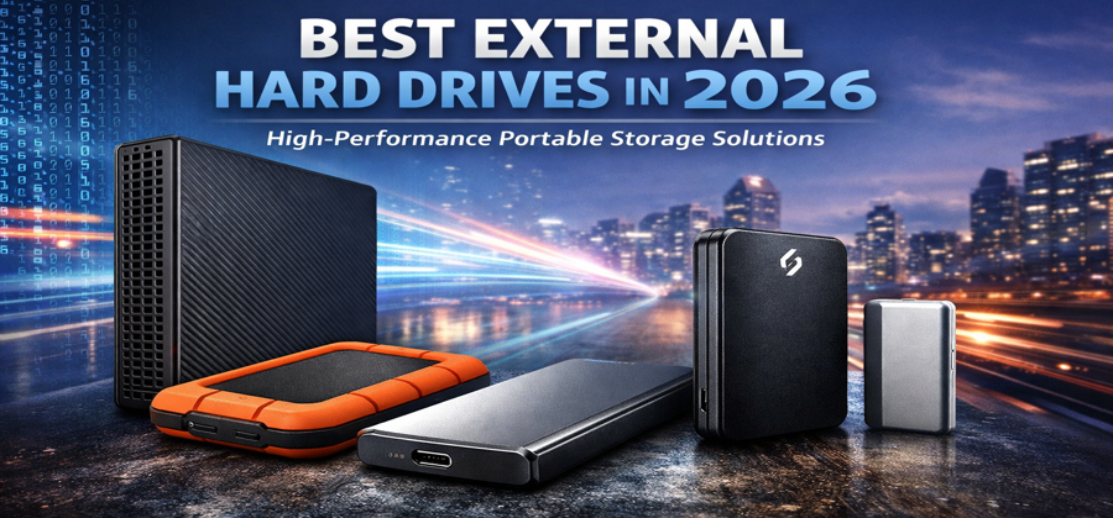
External storage has become essential for professionals, creators, businesses, and everyday users who need reliable ways to store, back up, and transport data. As file sizes grow—especially with 4K video, high-resolution photography, software development environments, and large datasets—the demand for high-capacity, fast, and reliable external hard drives continues to increase.
In this comprehensive guide, we present the best external hard drives available today, explain the technologies that power them, and help you choose the perfect solution for performance, portability, durability, and long-term reliability.
Why External Hard Drives Are Still Essential
Cloud storage is convenient, but external hard drives remain critical for several reasons:
-
Massive storage capacity at a lower cost per gigabyte
-
Fast data transfer speeds for local backups and editing workflows
-
Offline accessibility without internet dependency
-
Enhanced privacy and security compared with remote storage
-
Reliable backup redundancy
Professionals handling media production, software projects, or enterprise data frequently rely on external drives as their primary backup and archival solution.
Types of External Storage Drives
Understanding the different types of drives helps determine which model best fits your workflow.
1. External HDD (Hard Disk Drive)
Traditional hard disk drives store data on spinning magnetic platters.
Advantages
-
Lower price per terabyte
-
Massive capacities (up to 20TB+)
-
Ideal for backups and archives
Disadvantages
-
Slower than SSDs
-
Mechanical components prone to wear
-
Heavier and less portable
Best for: long-term storage, system backups, media libraries.
2. External SSD (Solid State Drive)
Solid state drives use flash memory with no moving parts.
Advantages
-
Extremely fast data transfer speeds
-
Lightweight and compact
-
More resistant to shock and vibration
Disadvantages
-
Higher price per gigabyte
-
Lower maximum capacities compared to HDDs
Best for: creative workflows, gaming, high-speed file transfers.
3. Portable vs Desktop External Drives
| Type | Description | Best Use |
|---|---|---|
| Portable Drive | Small, USB-powered, easy to carry | Travel and daily use |
| Desktop Drive | Larger drive requiring external power | Large backups and home storage |
| Rugged Drive | Shockproof, water-resistant | Field work and outdoor use |
| High-Speed SSD | NVMe-based storage | Video editing and professional tasks |
Top Features to Look for in the Best External Hard Drives
Choosing the right external drive involves more than just storage capacity.
Storage Capacity
Modern drives range from 500GB to 22TB.
Recommended capacities:
-
1TB–2TB: Personal files and documents
-
4TB–8TB: Photography and media storage
-
10TB+: Professional backup systems
Data Transfer Speed
Speed depends on both drive type and interface.
| Interface | Max Speed |
|---|---|
| USB 3.0 | 5 Gbps |
| USB 3.2 | 10 Gbps |
| USB-C | 10–20 Gbps |
| Thunderbolt | 40 Gbps |
For professional workloads, USB-C or Thunderbolt SSDs deliver the best performance.
Durability and Build Quality
Reliable external drives often include:
-
Shock resistance
-
Aluminum enclosures
-
Rubber protective shells
-
Water and dust protection
These features are especially important for traveling professionals and field creators.
Security Features
Modern external drives may offer:
-
Hardware encryption
-
Password protection
-
Automatic backup software
These features help secure sensitive files and prevent unauthorized access.
Best External Hard Drives in 2026
Below we present the most reliable and high-performing drives currently available.
1. High-Capacity Desktop Backup Drive
Key Specifications
-
Capacity: Up to 20TB
-
Interface: USB-C / USB 3.2
-
Ideal Use: Full system backup and media archives
Why it stands out
This type of drive offers massive storage capacity at an affordable cost per terabyte. Desktop drives are designed for long-term reliability and continuous backup usage.
Best For
-
Professional photographers
-
Video production studios
-
Large media libraries
2. Portable External SSD for Speed
Key Specifications
-
Capacity: 1TB – 4TB
-
Speed: Up to 2000MB/s
-
Interface: USB-C / NVMe
Why it stands out
Portable SSDs deliver exceptional performance and ultra-compact design, making them perfect for fast file transfers.
Best For
-
4K and 8K video editing
-
Software development
-
Gaming storage
3. Rugged External Drive for Travel
Key Specifications
-
Shockproof design
-
Water and dust resistant
-
Drop protection
Why it stands out
Rugged drives are built to survive harsh environments and constant transportation. Protective casings safeguard the internal storage components.
Best For
-
Field photographers
-
Adventure travelers
-
Outdoor content creators
4. Ultra-Compact Pocket SSD
Key Specifications
-
Capacity: 500GB – 2TB
-
Size: Smaller than a credit card
-
Weight: Under 60 grams
Why it stands out
These drives prioritize maximum portability while maintaining high-speed performance.
Best For
-
Students and professionals
-
Everyday file transfers
-
Laptop expansion
5. Professional Thunderbolt SSD
Key Specifications
-
Interface: Thunderbolt 3 or 4
-
Speed: Up to 2800MB/s
-
Capacity: Up to 8TB
Why it stands out
Thunderbolt drives offer near-internal SSD performance, ideal for demanding workloads.
Best For
-
Film editing studios
-
Audio production
-
High-performance computing
How to Choose the Best External Hard Drive
Selecting the right drive depends on your specific needs.
For Photographers
Recommended features:
-
4TB–8TB capacity
-
Fast SSD performance
-
Rugged construction
For Video Editors
Recommended features:
-
NVMe SSD storage
-
Thunderbolt connectivity
-
Minimum 2TB capacity
For Students and Everyday Use
Recommended features:
-
1TB–2TB capacity
-
Portable design
-
USB-C compatibility
For Backup and Archival
Recommended features:
-
10TB+ capacity
-
Desktop HDD format
-
Reliable backup software
External HDD vs External SSD: Which Is Better?
| Feature | HDD | SSD |
|---|---|---|
| Speed | Slower | Very fast |
| Durability | Moderate | High |
| Cost per GB | Low | Higher |
| Capacity | Up to 22TB | Up to 8TB |
| Best Use | Backup storage | Performance workflows |
For long-term archives, HDDs remain the best choice. For speed-critical tasks, SSDs dominate.
Best Practices for Using External Hard Drives
To ensure long-term reliability, we recommend following these guidelines.
Always Maintain Multiple Backups
Follow the 3-2-1 backup rule:
-
3 copies of your data
-
2 different storage types
-
1 offsite backup
Safely Eject Drives
Improper disconnection can cause data corruption or drive failure.
Avoid Physical Shock
Even rugged drives can suffer damage from repeated impacts.
Use Reliable Backup Software
Automated backups protect your files from accidental loss.
Advantages of Using External Storage
External hard drives provide several critical benefits:
-
Massive storage expansion
-
Affordable data backup
-
High portability
-
Enhanced data security
-
Fast file transfers
For businesses and professionals, they remain a core part of any data management strategy.
Future Trends in External Storage
External storage technology continues evolving rapidly.
Emerging innovations include
-
NVMe portable drives exceeding 4000MB/s speeds
-
Larger 30TB+ HDD capacities
-
USB4 and Thunderbolt 5 connectivity
-
Advanced hardware encryption
-
AI-optimized storage management
These advancements will make external drives faster, safer, and more efficient than ever before.
Conclusion
External hard drives remain one of the most practical and cost-effective storage solutions available today. Whether you need massive backup capacity, ultra-fast SSD performance, or rugged durability for travel, modern external drives deliver powerful solutions for every use case.
By carefully selecting the right drive type, capacity, and interface, you can create a secure, reliable, and high-performance storage system that protects your valuable data for years to come.
Comparison Table: Best External Hard Drives
| Drive Type | Capacity Range | Speed | Best For |
|---|---|---|---|
| Desktop HDD | 4TB – 22TB | Moderate | Backups |
| Portable HDD | 1TB – 5TB | Moderate | Everyday use |
| Portable SSD | 500GB – 4TB | Very fast | Performance |
| Rugged Drive | 1TB – 5TB | Moderate | Travel |
| Thunderbolt SSD | 1TB – 8TB | Extremely fast | Professional editing |
FAQs
1. What is the best external hard drive for backups?
High-capacity desktop HDDs between 8TB and 20TB are best for backups.
2. Are external SSDs faster than HDDs?
Yes, SSDs are significantly faster because they use flash memory instead of spinning disks.
3. How long do external hard drives last?
Most drives last 3–5 years, though proper care can extend their lifespan.
4. Is 1TB enough storage?
For documents and photos, yes. For video files, larger capacities are recommended.
5. Can external drives fail suddenly?
Yes. Regular backups are essential to prevent data loss.
6. What is the fastest external drive interface?
Thunderbolt currently provides the highest transfer speeds.
7. Are external hard drives safe for long-term storage?
Yes, when stored properly and powered periodically.
8. Should I choose SSD or HDD?
SSD for speed, HDD for capacity.
9. Can I use an external drive for gaming?
Yes, especially high-speed SSDs.
10. Do external drives work with Mac and Windows?
Yes, though formatting may differ.
11. What file system should I use?
ExFAT works well across multiple platforms.
12. Can external drives store operating systems?
Yes, they can host bootable systems.
13. Are portable drives durable?
SSD models are typically more durable.
14. What capacity is best for photographers?
At least 4TB.
15. Do external drives require power?
Portable drives usually use USB power; desktop drives require adapters.
16. Can I connect drives to smartphones?
Many modern phones support USB-C external storage.
17. Is encryption important?
Yes, for protecting sensitive data.
18. What speed is good for video editing?
At least 1000MB/s SSD speeds.
19. How often should backups be performed?
Daily or weekly depending on workload.
20. Can I recover deleted files from external drives?
Sometimes, using recovery software.
21. Are rugged drives worth it?
Yes for travel and outdoor use.
22. What capacity is best for movies?
4TB–8TB is ideal.
23. Do SSDs overheat?
High-performance models may warm during heavy use.
24. Can external drives be encrypted?
Yes, many include hardware encryption.
25. What is the best storage strategy?
Use multiple backups across different devices.