
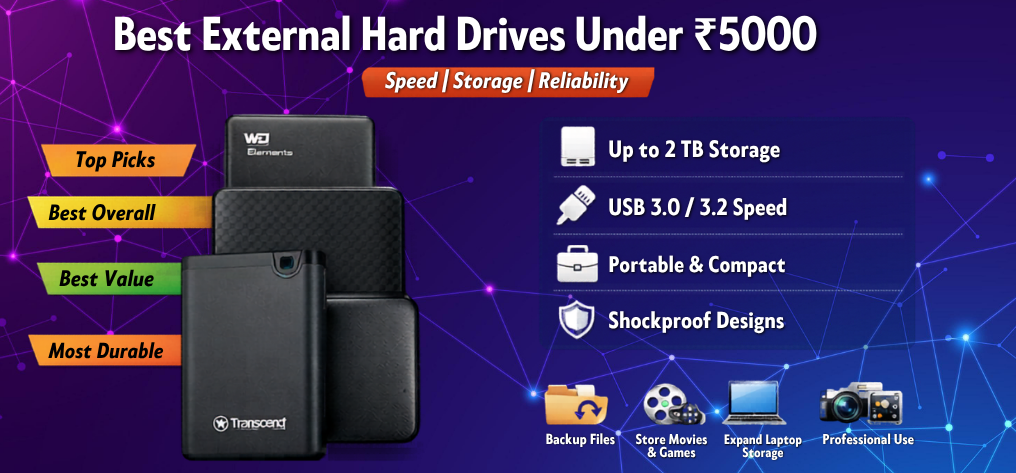
In today’s data-driven world, external hard drives have become an essential companion for professionals, students, gamers, and content creators. Whether we are backing up critical files, storing high-resolution videos, or expanding storage for laptops and PCs, choosing the right device under a budget is crucial.
We have carefully curated the best external hard drives under â¹5000 that deliver maximum performance, durability, and value for money without compromising on essential features.
Why Choose an External Hard Drive Under â¹5000?
Affordable storage solutions have evolved significantly, offering:
- High storage capacities (up to 2TB)
- Fast data transfer speeds via USB 3.0/3.2
- Compact and portable designs
- Plug-and-play convenience
- Reliable brand warranties
This price segment perfectly balances cost efficiency and performance, making it ideal for everyday users.
Top 10 Best External Hard Drives Under â¹5000
1. WD Elements Portable External Hard Drive (1TB/2TB)
Western Digital’s WD Elements series stands out as one of the most trusted storage solutions.
Key Features:
- USB 3.0 high-speed performance
- Compact, lightweight design
- Plug-and-play compatibility
- Reliable build quality
Why We Recommend It:
We consider this drive the best overall choice due to its consistent speed, durability, and affordability.
2. Seagate Expansion Portable External Hard Drive (1TB/2TB)
Seagate Expansion is designed for simplicity and performance.
Key Features:
- Drag-and-drop file saving
- Fast data transfers
- Sleek matte finish design
Why It Stands Out:
We appreciate its effortless usability and strong performance for everyday backups.
3. Toshiba Canvio Basics External Hard Drive (1TB/2TB)
Toshiba Canvio Basics delivers a perfect blend of performance and simplicity.
Key Features:
- Shock-resistant internal structure
- USB 3.0 compatibility
- Minimalist matte finish
Best For:
Users seeking a durable and budget-friendly storage solution.
4. WD My Passport External Hard Drive (1TB)
The WD My Passport offers advanced features in a stylish package.
Key Features:
- Hardware encryption for security
- Automatic backup software
- Slim, premium design
Why It’s Premium:
We recommend this for users who need enhanced data protection.
5. Seagate Backup Plus Slim (1TB)
A stylish and efficient storage solution.
Key Features:
- Slim metal design
- Automatic backup functionality
- Cloud sync support
Ideal For:
Professionals needing portable and stylish storage.
6. ADATA HV300 Slim External Hard Drive (1TB)
Ultra-thin and highly portable.
Key Features:
- Extremely slim profile
- Scratch-resistant coating
- Shock sensors for safety
Best Use Case:
Perfect for users who prioritize portability and aesthetics.
7. Transcend StoreJet 25M3 External Hard Drive (1TB)
Built for durability and rugged usage.
Key Features:
- Military-grade shock resistance
- Anti-shock rubber casing
- One-touch backup button
Why It’s Unique:
We recommend this for rough usage environments.
8. Lenovo F309 External Hard Drive (1TB)
Reliable performance with a compact form factor.
Key Features:
- Plug-and-play functionality
- Lightweight design
- Decent transfer speeds
Best For:
Budget-conscious buyers seeking dependable performance.
9. Silicon Power Armor A30 External Hard Drive (1TB)
A rugged and durable option.
Key Features:
- Military-grade shockproof design
- Cable-carry design
- Water-resistant features
Why Choose It:
Ideal for users needing maximum durability.
10. HP Portable External Hard Drive (1TB)
A balanced option from a trusted brand.
Key Features:
- Compact and stylish design
- USB 3.0 support
- Reliable performance
Best For:
Users seeking brand trust with decent performance.
Key Factors to Consider Before Buying
1. Storage Capacity
- 1TB: Ideal for everyday use
- 2TB: Best for heavy users and professionals
2. Data Transfer Speed
Look for USB 3.0 or USB 3.2 for faster performance.
3. Build Quality
Choose shockproof and durable designs for long-term use.
4. Security Features
Advanced models offer:
- Encryption
- Password protection
5. Portability
Slim drives are easier to carry and travel-friendly.
External HDD vs SSD Under â¹5000
| Feature | External HDD | External SSD |
|---|---|---|
| Price | Affordable | Expensive |
| Speed | Moderate | Very Fast |
| Durability | Good | Excellent |
| Capacity | Higher | Lower |
| Best For | Storage | Speed |
We recommend external HDDs under â¹5000 due to their higher storage capacity at lower cost.
Best Use Cases for External Hard Drives
- Backup important files
- Store movies and games
- Transfer large data quickly
- Expand laptop storage
- Professional media storage
Tips to Maximize Performance and Lifespan
- Avoid physical shocks
- Always eject safely
- Store in cool environments
- Use original cables
- Regularly check for errors
Final Verdict
Choosing the best external hard drive under â¹5000 depends on your needs:
- Best Overall: WD Elements
- Best Value: Seagate Expansion
- Most Durable: Transcend StoreJet
- Best Premium Features: WD My Passport
We recommend prioritizing reliability, speed, and brand trust to ensure long-term performance.
FAQs
General Questions
- Which is the best external hard drive under â¹5000?
WD Elements and Seagate Expansion are top choices. - Is 1TB enough for daily use?
Yes, for most users. - Can I use it with a smartphone?
Yes, via OTG support. - What is USB 3.0 speed?
Up to 5Gbps. - Are external HDDs durable?
Yes, with proper care.
Performance Questions
- How fast are external HDDs?
Typically 100–150 MB/s. - Do they slow down over time?
Yes, if heavily used. - Can I run games from them?
Yes, but slower than SSDs. - Is SSD better than HDD?
Yes, but more expensive. - Do they require power supply?
No, portable drives don’t.
Compatibility Questions
- Are they compatible with Mac?
Yes, with formatting. - Can I use it on PS5/Xbox?
Yes. - Does it support Linux?
Yes. - Is software required?
No, plug-and-play. - Can I partition the drive?
Yes.
Security Questions
- Do they support encryption?
Some models do. - Can I password protect data?
Yes. - Is cloud backup better?
Depends on use case. - Can data be recovered?
Sometimes. - Are they safe for long-term storage?
Yes.
Buying Questions
- Which brand is most reliable?
WD, Seagate, Toshiba. - Is warranty important?
Yes, minimum 2–3 years. - What is the lifespan?
3–5 years average. - Should I buy online?
Yes, for better deals. - Is 2TB worth it?
Yes, for heavy users.