
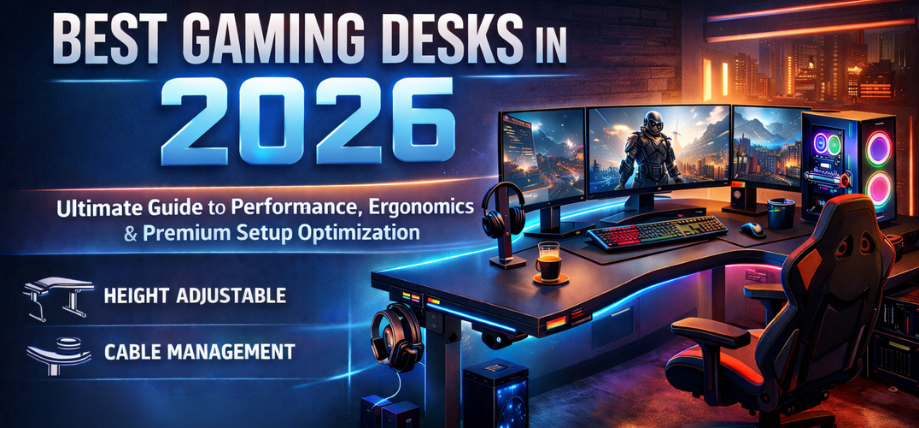
In the evolving ecosystem of competitive gaming, streaming, and high-performance workstations, the gaming desk has emerged as a foundational component that directly influences comfort, posture, efficiency, and overall performance. A well-engineered desk is no longer a luxury—it is a strategic investment that enhances productivity, supports advanced hardware setups, and creates a visually immersive environment.
We present a comprehensive, deeply optimized, and performance-driven guide to the best gaming desks in 2026, designed to help you build a setup that delivers precision, durability, aesthetics, and long-term ergonomic support.
Why a High-Quality Gaming Desk Matters More Than Ever
A gaming desk is not just a surface—it is the command center of your entire setup. The right desk ensures:
- Optimal posture alignment to reduce fatigue
- Efficient cable management for a clean, distraction-free environment
- Stable support for multiple monitors and heavy hardware
- Enhanced immersion through design and lighting compatibility
- Long-term durability under intensive daily use
Modern gaming desks are engineered with precision ergonomics, high-load capacity, and modular flexibility, making them essential for both casual gamers and esports professionals.
Key Features to Look for in the Best Gaming Desks
Ergonomic Design & Adjustability
The best desks prioritize adjustable height mechanisms, enabling both sitting and standing configurations. This flexibility improves circulation, reduces strain, and enhances focus during long sessions.
Surface Area & Layout Optimization
A premium gaming desk should provide ample space for:
- Dual or triple monitor setups
- Mechanical keyboard and extended mouse pad
- Audio interfaces, consoles, and accessories
Build Quality & Materials
Top-tier desks use:
- Carbon fiber textured surfaces for durability
- Steel frames for stability
- Scratch-resistant coatings for longevity
Cable Management Systems
Integrated cable trays, routing channels, and grommets ensure:
- Clutter-free setup
- Improved airflow
- Enhanced visual aesthetics
Weight Capacity & Stability
A robust desk must handle:
- Heavy GPUs and PCs
- Multi-monitor arms
- Additional peripherals
Smart Features & Accessories
Modern gaming desks include:
- RGB lighting integration
- USB hubs and wireless charging
- Headphone hooks and cup holders
Types of Gaming Desks in 2026
Standard Gaming Desks
Designed for simplicity and affordability, these desks provide:
- Stable structure
- Moderate surface area
- Essential cable management
L-Shaped Gaming Desks
Ideal for multitasking and content creation:
- Expansive workspace
- Corner optimization
- Multi-device support
Standing Gaming Desks
Focused on ergonomics:
- Motorized height adjustment
- Memory presets
- Health-focused design
Compact Gaming Desks
Perfect for small spaces:
- Minimal footprint
- Efficient layout
- Budget-friendly
Best Gaming Desks in 2026 (Top Picks)
Premium Electric Standing Gaming Desk
This category represents the pinnacle of modern desk engineering, offering:
- Silent dual-motor lift systems
- Smart height presets
- Exceptional load capacity
Perfect for users who demand maximum ergonomic flexibility and premium build quality.
L-Shaped Multi-Setup Gaming Desk
Designed for streamers and professionals, this desk offers:
- Wide surface area for multiple monitors
- Dedicated zones for gaming and work
- Superior corner utilization
A powerful choice for content creators and multitaskers.
Carbon Fiber Gaming Desk
Aesthetic meets performance:
- Sleek carbon fiber finish
- Scratch-resistant surface
- Enhanced durability
Ideal for gamers who value style, durability, and precision control.
Budget High-Performance Gaming Desk
Affordable yet capable:
- Solid frame construction
- Clean design
- Essential features
Best suited for entry-level gamers seeking reliability without overspending.
Compact Space-Saving Gaming Desk
Optimized for tight environments:
- Efficient layout
- Lightweight structure
- Easy assembly
Perfect for students and minimal setups.
Gaming Desk Setup Optimization Tips
Monitor Placement
Position monitors at eye level to reduce neck strain and improve visibility.
Cable Management
Use:
- Cable sleeves
- Under-desk trays
- Velcro straps
This ensures a clean and distraction-free environment.
Lighting Integration
Add:
- RGB strips
- Ambient lighting
Enhances immersion and reduces eye fatigue.
Peripheral Organization
Keep frequently used items within reach:
- Keyboard centered
- Mouse pad aligned
- Accessories organized
Materials Comparison: Which One is Best?
| Material Type | Durability | Aesthetic Appeal | Maintenance | Best Use Case |
|---|---|---|---|---|
| Carbon Fiber | High | Premium | Easy | Gaming setups |
| Wood (Engineered) | Medium | Classic | Moderate | Hybrid setups |
| Metal Frame + MDF | High | Modern | Easy | Heavy setups |
| Glass Top | Low | Stylish | High | Light use |
Ergonomics & Health Benefits
A well-designed gaming desk contributes to:
- Reduced back and neck pain
- Improved blood circulation
- Increased productivity
- Enhanced focus and endurance
Standing desks, in particular, help reduce sedentary lifestyle risks, making them a valuable long-term investment.
Gaming Desk vs Regular Desk: Key Differences
| Feature | Gaming Desk | Regular Desk |
|---|---|---|
| Design Focus | Performance & aesthetics | Basic functionality |
| Cable Management | Advanced systems | Minimal |
| Durability | High-load capacity | Moderate |
| Features | RGB, accessories, hooks | Limited |
| Ergonomics | Optimized | Standard |
Future Trends in Gaming Desks (2026 and Beyond)
The next generation of gaming desks is evolving rapidly with:
- AI-powered ergonomic adjustments
- Integrated smart displays
- Wireless charging ecosystems
- Modular expansion systems
These innovations are shaping desks into fully interactive gaming environments.
How to Choose the Perfect Gaming Desk
When selecting the best desk, consider:
- Room size and layout
- Number of monitors
- Budget constraints
- Ergonomic needs
- Aesthetic preferences
A balanced choice ensures long-term satisfaction and optimal performance.
Conclusion
The gaming desk is a critical investment that defines your entire setup. Choosing the right one enhances comfort, efficiency, and immersive experience, making it indispensable for modern gamers and professionals alike.
By prioritizing ergonomics, durability, and intelligent design, you can create a setup that not only looks exceptional but also performs at the highest level.
FAQs
1. What is the ideal size for a gaming desk?
A minimum of 120–160 cm width is recommended for multi-monitor setups.
2. Are standing desks worth it?
Yes, they improve posture and reduce fatigue.
3. What material is best for durability?
Steel frame with carbon fiber surface offers the best durability.
4. Can a gaming desk hold heavy PCs?
High-quality desks support 50–100 kg or more.
5. Do gaming desks improve performance?
Yes, through better ergonomics and organization.
6. Are L-shaped desks better?
Ideal for multitasking and large setups.
7. What is the best budget option?
Basic steel-frame desks with cable management.
8. How important is cable management?
Essential for a clean and efficient setup.
9. Do gaming desks come with RGB?
Many modern desks include RGB lighting.
10. Can I use a regular desk for gaming?
Yes, but it lacks specialized features.
11. What height should a desk be?
Typically 70–75 cm, adjustable preferred.
12. Are compact desks good?
Yes, for small rooms and minimal setups.
13. How to maintain a gaming desk?
Clean regularly and avoid scratches.
14. What is weight capacity?
Check specs—important for heavy setups.
15. Do I need a large desk for dual monitors?
Yes, for proper spacing and comfort.
16. Are curved desks better?
They enhance immersion and accessibility.
17. Can desks improve posture?
Yes, ergonomic design supports health.
18. What accessories should I look for?
Cup holder, headphone hook, cable tray.
19. Are premium desks worth it?
Yes, for long-term durability and comfort.
20. How long do gaming desks last?
5–10 years with proper care.
21. Do desks affect cable lifespan?
Yes, better management reduces wear.
22. Is wood or metal better?
Metal frames are more durable.
23. Can I build my own desk?
Yes, but lacks integrated features.
24. What desk is best for streaming?
L-shaped or large standing desks.
25. Are gaming desks suitable for work?
Yes, they support productivity and comfort.