
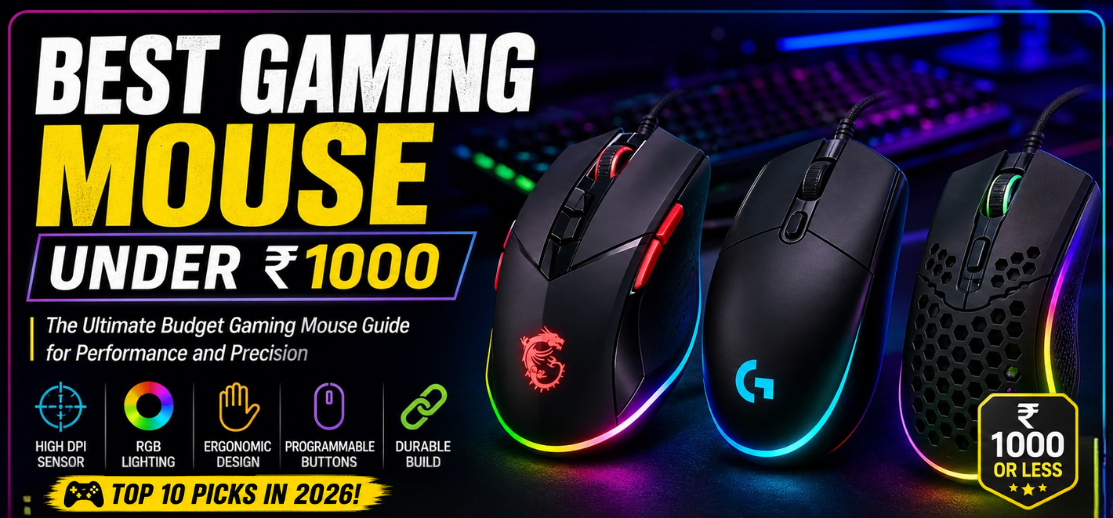
The gaming industry has evolved into a highly competitive digital ecosystem where precision, reaction speed, and responsiveness define victory. A gaming mouse is no longer just a peripheral—it is a critical weapon that directly impacts gameplay performance. Fortunately, gamers no longer need expensive hardware to achieve competitive-level control. The market for the best gaming mouse under ₹1000 has become incredibly competitive, offering affordable gaming mice packed with features that were once exclusive to premium devices.
Modern budget gaming mice now include:
- High-DPI optical sensors
- RGB lighting systems
- Ergonomic gaming designs
- Programmable buttons
- Lightweight construction
- Durable switches
- Fast response times
This comprehensive guide explores the top gaming mice under ₹1000 in 2026, delivering detailed insights into sensor quality, comfort, durability, gaming performance, and value for money to help gamers choose the ideal budget gaming mouse.
Why a Good Gaming Mouse Matters
In competitive gaming, milliseconds matter. A high-quality gaming mouse improves:
- Target accuracy
- Tracking consistency
- Reaction speed
- Movement precision
- Comfort during long sessions
Unlike standard office mice, gaming mice are optimized for:
- Faster polling rates
- Better sensors
- Lower input latency
- Ergonomic control
Even in the budget segment under ₹1000, modern gaming mice now provide surprisingly strong performance for FPS, MOBA, battle royale, and casual gaming.
Key Features to Look for in the Best Gaming Mouse Under ₹1000
1. Optical Sensor Quality
The sensor is the heart of every gaming mouse.
The best budget gaming mice feature:
- Accurate optical sensors
- Stable tracking
- Adjustable DPI settings
- Low acceleration issues
Good sensor performance ensures:
- Precise aiming
- Smooth cursor movement
- Better gameplay consistency
2. DPI and Sensitivity
DPI (Dots Per Inch) determines cursor sensitivity.
Most gaming mice under ₹1000 now support:
- 800 DPI
- 1600 DPI
- 3200 DPI
- 6400 DPI or higher
Higher DPI allows:
- Faster cursor movement
- Better sensitivity customization
- Improved gaming flexibility
3. Ergonomic Design and Comfort
Comfort is essential for extended gaming sessions.
Top gaming mice offer:
- Palm grip support
- Claw grip compatibility
- Textured side grips
- Lightweight body design
An ergonomic mouse reduces:
- Wrist fatigue
- Hand strain
- Long-term discomfort
4. Build Quality and Durability
A durable gaming mouse should include:
- Strong switches
- High-quality plastic shell
- Braided or reinforced cable
- Durable scroll wheel
Many modern budget gaming mice now offer:
- 5–10 million click lifespan
5. Polling Rate and Responsiveness
Polling rate affects how frequently the mouse communicates with the PC.
Gaming mice under ₹1000 commonly support:
- 125Hz
- 500Hz
- 1000Hz polling rate
Higher polling rates improve:
- Input responsiveness
- Cursor smoothness
- Competitive gaming precision
6. RGB Lighting and Aesthetics
RGB lighting has become extremely popular in gaming setups.
Budget gaming mice now include:
- RGB LED lighting
- Breathing lighting modes
- Multicolor effects
- Gaming-inspired aesthetics
Although RGB does not improve gameplay directly, it enhances:
- Setup appearance
- Gaming ambiance
- Customization appeal
Top 10 Best Gaming Mouse Under ₹1000 in 2026
1. Redragon M711 Cobra
The Redragon M711 Cobra is one of the most feature-rich budget gaming mice available.
Key Features
- 10,000 DPI optical sensor
- RGB lighting system
- Programmable buttons
- Ergonomic gaming shape
Performance
The M711 Cobra delivers:
- Excellent tracking accuracy
- Comfortable long-session usability
- Smooth cursor performance
Best suited for:
- FPS gaming
- MOBA gaming
- RGB gaming setups
2. Logitech G102 Lightsync
The Logitech G102 Lightsync remains one of the best entry-level gaming mice.
Highlights
- 8000 DPI sensor
- Lightsync RGB
- Compact lightweight design
- Excellent click response
Perfect for:
- Competitive gaming
- Everyday gaming
- Budget esports setups
3. Zebronics Zeb-Transformer-M
The Zebronics Zeb-Transformer-M is a highly popular gaming mouse in India.
Advantages
- Multicolor LED lighting
- Ergonomic body
- Dedicated DPI button
- Affordable pricing
Ideal for:
- Casual gamers
- Budget gaming PCs
- Entry-level gaming setups
4. Cosmic Byte Kilonova
The Cosmic Byte Kilonova delivers impressive performance for its price.
Features
- High DPI sensor
- RGB illumination
- Lightweight construction
- Programmable controls
Excellent for:
- FPS players
- Battle royale gaming
- Students and beginners
5. Ant Esports GM320
The Ant Esports GM320 offers balanced gaming performance and strong aesthetics.
Key Features
- Gaming-grade optical sensor
- RGB backlighting
- Ergonomic side grips
- Adjustable DPI
Best for:
- Long gaming sessions
- RGB gaming setups
- Multiplayer gaming
6. HP M100 Gaming Mouse
The HP M100 Gaming Mouse combines simplicity with reliable performance.
Highlights
- Comfortable grip
- Adjustable DPI
- Durable buttons
- Minimal gaming design
Ideal for:
- Casual gaming
- Office and gaming hybrid use
- Budget users
7. Dragonwar ELE-G9 Thor
The Dragonwar ELE-G9 Thor is known for its aggressive gaming aesthetics.
Advantages
- Customizable DPI
- Braided cable
- Gaming-focused design
- Programmable buttons
Perfect for:
- MMORPG gaming
- MOBA gaming
- RGB enthusiasts
8. EvoFox Phantom
The EvoFox Phantom is among the best value-for-money gaming mice.
Features
- Lightweight body
- Gaming-grade sensor
- RGB effects
- Comfortable side grips
Best suited for:
- Competitive casual gaming
- Laptop gamers
- Budget setups
9. Dell Alienware AW320M (Budget Variant)
The Dell Alienware AW320M offers premium styling in an affordable package.
Highlights
- Responsive optical sensor
- Premium aesthetics
- Comfortable grip
- Smooth tracking
Excellent for:
- Stylish gaming setups
- FPS gaming
- Productivity and gaming
10. Lenovo Legion M200 RGB
The Lenovo Legion M200 RGB provides strong brand reliability and gaming performance.
Key Features
- 2400 DPI sensor
- 7-color RGB lighting
- Comfortable ergonomic body
- Reliable click feedback
Perfect for:
- Entry-level gaming
- Students
- Daily gaming use
Gaming Mouse Under ₹1000 vs Premium Gaming Mouse
| Feature | Budget Gaming Mouse | Premium Gaming Mouse |
|---|---|---|
| Price | Affordable | Expensive |
| Sensor Accuracy | Good | Exceptional |
| RGB Features | Basic | Advanced |
| Build Quality | Decent | Premium |
| Weight Optimization | Moderate | Advanced |
| Customization | Limited | Extensive |
Advantages of Gaming Mice Under ₹1000
Affordable Gaming Performance
Budget gaming mice now provide:
- Accurate tracking
- Responsive clicks
- Decent build quality
Excellent Value for Money
Gamers receive:
- RGB aesthetics
- Gaming sensors
- Comfortable ergonomics
Wide Product Availability
Popular brands offer:
- Online availability
- Warranty support
- Multiple design options
Potential Drawbacks
- Limited software customization
- Sensor precision lower than flagship models
- Basic switch quality in some models
- Fewer advanced features
Best Gaming Mouse Grip Styles Explained
Palm Grip
Characteristics:
- Full-hand contact
- Comfortable design
- Better for relaxed gaming
Best for:
- Casual gaming
- Long sessions
Claw Grip
Characteristics:
- Arched fingers
- Faster clicks
- Better precision
Best for:
- FPS gaming
- Competitive gaming
Fingertip Grip
Characteristics:
- Minimal hand contact
- Fast movements
- Lightweight control
Best for:
- Fast-paced gameplay
- High sensitivity gamers
How to Choose the Best Gaming Mouse Under ₹1000
1. Gaming Genre
| Genre | Recommended Mouse Style |
|---|---|
| FPS | Lightweight precision mouse |
| MOBA | Programmable buttons |
| MMORPG | Ergonomic design |
| Casual Gaming | Balanced performance |
2. Sensor Performance
Prioritize:
- Stable tracking
- Adjustable DPI
- Low latency
3. Comfort and Grip
Choose based on:
- Hand size
- Grip preference
- Session duration
4. Build Quality
Look for:
- Durable switches
- Strong cable quality
- Reliable scroll wheel
Future Trends in Budget Gaming Mice
The budget gaming mouse industry is rapidly evolving toward:
- AI-enhanced sensors
- Ultra-lightweight shells
- Improved wireless technology
- Higher polling rates
- Eco-friendly materials
Future gaming mice under ₹1000 will continue offering:
- Better sensor precision
- Enhanced durability
- Improved RGB systems
- Greater customization
FAQs
1. Which is the best gaming mouse under ₹1000?
The Logitech G102 Lightsync and Redragon M711 Cobra are among the best options.
2. Is a gaming mouse better than a normal mouse?
Yes, gaming mice provide:
-
Better sensors
-
Faster response times
-
Improved ergonomics
3. What DPI is best for gaming?
800–3200 DPI is ideal for most gamers.
4. Are budget gaming mice durable?
Yes, many offer millions of click durability.
5. Is RGB important in a gaming mouse?
RGB mainly improves aesthetics.
6. Are wireless gaming mice better?
Premium wireless mice are excellent, but wired mice dominate under ₹1000.
7. What is polling rate?
It measures how often the mouse communicates with the PC.
8. Which grip style is best?
Depends on comfort and gaming preference.
9. Can budget gaming mice be used for esports?
Yes, many are competitive-ready.
10. Are optical sensors better than laser sensors?
Yes, optical sensors are preferred for gaming.
11. What is input latency?
The delay between movement and cursor response.
12. How long do gaming mice last?
Typically 2–5 years depending on usage.
13. Are lightweight mice better?
Yes, especially for FPS gaming.
14. What is adjustable DPI?
It allows users to change sensitivity levels.
15. Which brand is best for gaming mice?
Logitech, Razer, and Corsair are top brands.
16. Are gaming mice comfortable for work?
Yes, many are excellent for productivity.
17. Can I use a gaming mouse without software?
Yes, most work plug-and-play.
18. What is acceleration in a gaming mouse?
It changes cursor speed based on movement speed.
19. Do gaming mice require mousepads?
A mousepad improves tracking accuracy.
20. Are braided cables better?
Yes, they improve durability.
21. Is higher DPI always better?
No, extremely high DPI is not necessary for most users.
22. What is lift-off distance?
The height at which tracking stops when lifting the mouse.
23. Are gaming mice worth buying for casual gamers?
Yes, they improve comfort and precision.
24. Can gaming mice improve aim?
Yes, accurate sensors improve aiming consistency.
25. Are gaming mice under ₹1000 worth it?
Absolutely. Modern budget gaming mice offer exceptional value, reliable performance, and competitive gaming capabilities.