
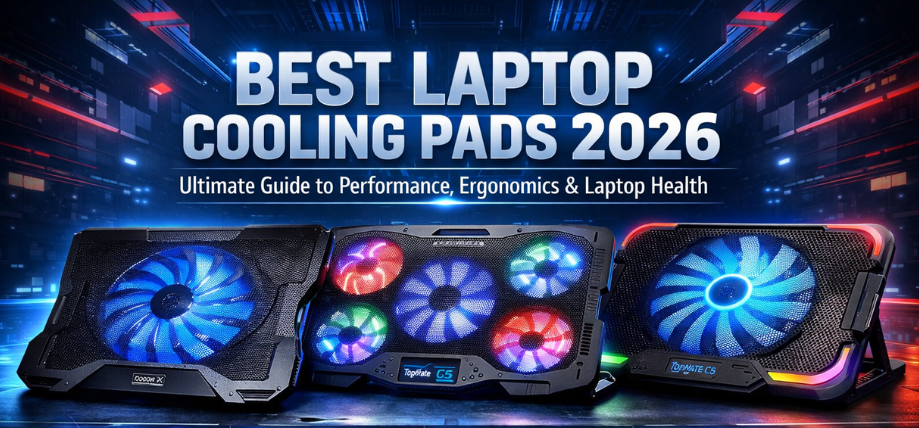
Modern laptops deliver exceptional processing power, high-refresh displays, and intensive multitasking capabilities, but with this performance comes a critical challenge—heat management. Overheating not only reduces performance but also impacts battery life, internal components, and overall device longevity.
We present a comprehensive, high-performance, and expertly detailed guide to the best laptop cooling pads in 2026, engineered to provide maximum airflow, ergonomic comfort, silent operation, and long-term reliability.
Why Laptop Cooling Pads Are Essential in 2026
With high-performance CPUs, GPUs, and SSDs, laptops now generate more heat than ever. Built-in cooling systems often struggle under heavy workloads such as:
- Gaming
- Video editing
- 3D rendering
- Software development
- Multitasking environments
A premium cooling pad ensures:
- Lower operating temperatures
- Improved system performance
- Reduced thermal throttling
- Extended hardware lifespan
Key Features to Look for in the Best Laptop Cooling Pads
1. Fan Configuration & Airflow Efficiency
- Single large fan vs multiple fans
- High RPM fans for maximum airflow
- Optimized air distribution design
2. Cooling Performance
- Temperature drop capability (5°C–20°C reduction)
- Efficient heat dissipation
- Direct airflow alignment with laptop vents
3. Build Quality & Materials
- Metal mesh surfaces for better heat transfer
- Durable ABS plastic frame
- Anti-slip design
4. Ergonomic Design
- Adjustable height levels
- Wrist comfort positioning
- Improved typing posture
5. Noise Levels
- Silent fans (<25dB preferred)
- Balanced performance and acoustics
6. Additional Features
- RGB lighting
- USB hub support
- Fan speed control
- LCD display
Top 12 Best Laptop Cooling Pads in 2026
1. Cooler Master Notepal X3
Best Overall Laptop Cooling Pad
- Fan Size: 200mm high-performance fan
- Airflow: Powerful centralized cooling
- Noise: Silent operation
Performance Insight:
Delivers consistent cooling performance with excellent airflow distribution, ideal for gaming laptops.
2. Klim Wind RGB Cooling Pad
Best High Airflow Cooling Pad
- Fans: 4 high-speed fans
- Lighting: RGB effects
- Build: Durable metal mesh
Standout Feature:
Provides aggressive cooling with visually appealing design.
3. TopMate C5 Gaming Cooling Pad
Best for Gaming Laptops
- Fans: 5 fan setup
- Display: LCD control panel
- Speed Control: Adjustable
Why it excels:
Designed for high-performance gaming laptops, ensuring consistent temperature control.
4. Havit HV-F2056 Cooling Pad
Best Slim & Portable Cooling Pad
- Fans: 3 ultra-quiet fans
- Design: Ultra-slim
- Weight: Lightweight
Key Benefit:
Perfect for users needing portability without sacrificing cooling efficiency.
5. Deepcool Multi Core X6
Best Multi-Fan Cooling Efficiency
- Fans: 4 strategically placed fans
- Design: Unique multi-directional airflow
- Build: Premium finish
Performance Edge:
Targets specific heat zones effectively.
6. Targus Lap Chill Mat
Best Ergonomic Cooling Pad
- Design: Dual fan cooling
- Comfort: Soft neoprene base
- Usage: Lap-friendly
Why choose it:
Combines comfort and cooling performance for extended usage.
7. Zebronics Zeb-NC3300 Cooling Pad
Best Budget Cooling Pad
- Fans: Dual fan
- LED: Blue lighting
- Price: Affordable
Advantage:
Delivers reliable cooling at a budget price.
8. Cosmic Byte Meteoroid Cooling Pad
Best RGB Gaming Cooling Pad
- Fans: 5 fans
- Lighting: RGB effects
- Control: Adjustable speed
Highlight:
Designed for gaming aesthetics and performance.
9. Portronics My Buddy Plus
Best Multi-Purpose Cooling Stand
- Design: Adjustable stand
- Material: Aluminum
- Usage: Laptop + tablet
Ideal for:
Users needing versatility and ergonomic support.
10. Thermaltake Massive 20 RGB
Best Premium Cooling Pad
- Fan: 200mm
- RGB: Customizable lighting
- Build: Premium construction
Why it stands out:
Offers top-tier performance and aesthetics.
11. Redgear Pro Cooling Pad
Best Value for Gamers
- Fans: 4 fans
- Performance: Stable cooling
- Build: Strong
Key Strength:
Balances price, performance, and durability.
12. Lapcare ChillMate Cooling Pad
Best Entry-Level Option
- Fans: Dual fan
- Lightweight design
- Affordable pricing
Best suited for:
Basic users needing essential cooling support.
Comparison Table: Best Laptop Cooling Pads
| Cooling Pad | Fans | Noise Level | Build | Best For |
|---|---|---|---|---|
| Cooler Master X3 | 1 (200mm) | Low | Premium | Overall |
| Klim Wind RGB | 4 | Medium | Metal | High airflow |
| TopMate C5 | 5 | Medium | Durable | Gaming |
| Havit HV-F2056 | 3 | Low | Slim | Portability |
| Deepcool X6 | 4 | Medium | Premium | Multi-zone cooling |
| Targus Chill Mat | 2 | Low | Soft base | Ergonomics |
| Zebronics NC3300 | 2 | Low | Basic | Budget |
| Cosmic Byte Meteoroid | 5 | Medium | RGB | Gaming |
| Portronics My Buddy | 0 (stand) | Silent | Aluminum | Ergonomics |
| Thermaltake Massive 20 | 1 | Low | Premium | High-end |
| Redgear Pro | 4 | Medium | Strong | Value |
| Lapcare ChillMate | 2 | Low | Basic | Entry-level |
How to Choose the Best Laptop Cooling Pad
For Gaming Laptops
- Minimum 4–5 fans
- High airflow design
- RGB optional
For Office & Daily Use
- Silent fans
- Lightweight design
- Ergonomic tilt
For Travel
- Slim and portable
- USB-powered
- Durable build
For Heavy Workloads
- Large fan size
- High RPM cooling
- Multi-zone airflow
Benefits of Using Laptop Cooling Pads
- Enhanced performance stability
- Reduced thermal throttling
- Improved battery lifespan
- Comfortable typing angles
- Lower internal component stress
Common Mistakes to Avoid
- Ignoring fan quality and RPM
- Choosing poor airflow alignment
- Overlooking noise levels
- Buying incompatible size
Latest Trends in Laptop Cooling Pads (2026)
- AI-based cooling adjustment
- Smart temperature sensors
- Ultra-silent fan technology
- RGB ecosystem integration
- Eco-friendly materials
Final Verdict
The best laptop cooling pad in 2026 depends on usage:
- Best Overall: Cooler Master Notepal X3
- Best Gaming: TopMate C5
- Best Budget: Zebronics Zeb-NC3300
- Best Premium: Thermaltake Massive 20 RGB
Choosing the right cooling pad ensures optimal performance, longer device lifespan, and superior user comfort.
FAQs
1. Do cooling pads really work?
Yes, they reduce laptop temperatures effectively.
2. How much temperature reduction?
Typically 5°C–20°C.
3. Are cooling pads safe?
Yes, when used properly.
4. Do they improve performance?
Yes, by preventing thermal throttling.
5. Are RGB cooling pads better?
Only visually; performance depends on fans.
6. Can I use on bed?
Yes, improves airflow.
7. Do cooling pads consume power?
Minimal USB power.
8. Are single fan pads good?
Yes, if large and powerful.
9. Do they make noise?
Low noise in quality models.
10. Can I adjust fan speed?
Yes, in advanced models.
11. What size should I choose?
Match your laptop size.
12. Are metal pads better?
Yes, for heat dissipation.
13. Can cooling pads damage laptops?
No.
14. Are expensive pads worth it?
Yes, for performance and durability.
15. Do they help battery life?
Indirectly, by reducing heat.
16. Can I use without fans?
Yes, stands still improve airflow.
17. Are slim pads effective?
Yes, for moderate cooling.
18. Can I carry them easily?
Slim models are portable.
19. Do they support all laptops?
Most standard sizes.
20. Do cooling pads require maintenance?
Occasional cleaning.
21. Can they cool gaming laptops?
Yes, especially multi-fan models.
22. What is ideal noise level?
Below 25dB.
23. Do they increase laptop lifespan?
Yes, by reducing heat stress.
24. Are USB hubs necessary?
Optional feature.
25. Which is best for heavy users?
Multi-fan high airflow models.