
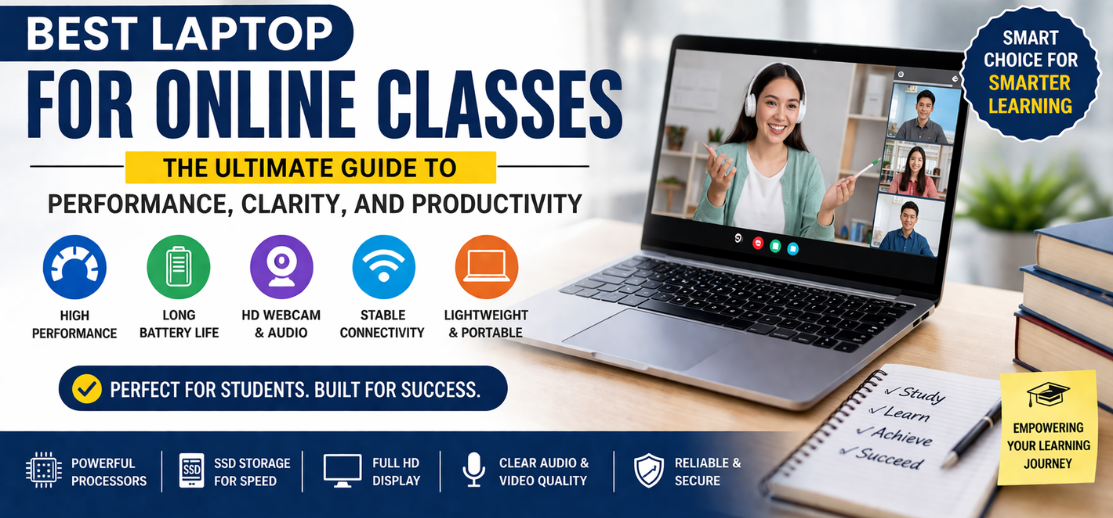
In the evolving landscape of digital education, selecting the best laptop for online classes is a decisive factor that directly influences learning efficiency, engagement, and long-term academic success. We recognize that modern students require a device that delivers consistent performance, crystal-clear video communication, long battery life, and seamless multitasking.
This in-depth guide presents a comprehensive, expertly structured overview of the best laptops tailored specifically for online classes, ensuring that every learner—from school students to university professionals—can achieve uninterrupted and optimized digital learning experiences.
Why Choosing the Right Laptop for Online Classes Matters
Online learning demands more than just a basic device. It requires a high-performance machine capable of handling video conferencing, multitasking, document processing, and real-time collaboration tools without lag or disruption.
Core Benefits of the Right Laptop
- Smooth video conferencing without buffering
- Fast application performance for multitasking
- Clear audio and webcam quality
- Reliable connectivity for uninterrupted sessions
- Portability for flexible learning environments
We emphasize that investing in the right laptop transforms online education into a productive, distraction-free experience.
Key Features of the Best Laptop for Online Classes
1. Processor Performance for Seamless Learning
A powerful processor ensures smooth execution of applications like Zoom, Google Meet, Microsoft Teams, and browser-based learning platforms.
Recommended Processors
- Intel Core i3 / i5 / i7 (Latest Generations)
- AMD Ryzen 3 / 5 / 7
We recommend at least an Intel Core i5 or AMD Ryzen 5 for consistent performance.
2. RAM Capacity for Multitasking Efficiency
Students often run multiple applications simultaneously—video calls, browsers, note-taking apps, and presentations.
Ideal RAM Configurations
- 8GB RAM – Minimum requirement
- 16GB RAM – Optimal for advanced multitasking
Higher RAM ensures lag-free switching between tasks.
3. SSD Storage for Speed and Responsiveness
Solid State Drives significantly enhance performance compared to traditional HDDs.
Recommended Storage
- 256GB SSD – Basic usage
- 512GB SSD – Ideal balance
- 1TB SSD – Heavy usage and storage needs
SSDs provide instant boot times and faster application loading, making them essential for online classes.
4. Display Quality for Comfortable Learning
Extended screen time requires a display that minimizes eye strain while delivering clarity.
Display Essentials
- Full HD (1920x1080) resolution
- IPS panel for better viewing angles
- Anti-glare coating
A high-quality display ensures clear visibility during lectures and presentations.
5. Battery Life for Uninterrupted Sessions
Online classes often extend for hours. A strong battery is critical.
Ideal Battery Backup
- 6–8 hours minimum
- 10+ hours preferred
We prioritize laptops that provide all-day learning without constant charging.
6. Webcam and Audio Quality
Virtual classes depend heavily on communication tools.
Must-Have Features
- HD webcam (720p or 1080p)
- Noise-canceling microphones
- Clear stereo speakers
High-quality audio and video ensure professional and effective interaction.
7. Connectivity Options
Stable internet and peripheral connectivity are essential.
Important Ports & Features
- Wi-Fi 6 or higher
- USB-C and USB-A ports
- HDMI output
- Bluetooth connectivity
Reliable connectivity guarantees smooth and uninterrupted online sessions.
Best Laptop for Online Classes by Category
1. Best Budget Laptop for Online Classes
Budget-friendly laptops should deliver essential performance without compromising usability.
Key Specifications
- Intel Core i3 / Ryzen 3
- 8GB RAM
- 256GB SSD
- Full HD display
Perfect for school students and basic online learning needs.
2. Best Mid-Range Laptop for Students
Mid-range laptops offer enhanced performance and better multitasking capabilities.
Recommended Features
- Intel Core i5 / Ryzen 5
- 8GB–16GB RAM
- 512GB SSD
- Premium build quality
Ideal for college students and multitasking users.
3. Best Premium Laptop for Online Learning
Premium laptops provide top-tier performance, superior display, and exceptional battery life.
Advanced Specifications
- Intel Core i7 / Ryzen 7
- 16GB RAM
- 1TB SSD
- High-resolution display
Suitable for professionals, advanced students, and hybrid work-study environments.
4. Best Lightweight Laptop for Portability
Portability is essential for students who move between locations.
Key Features
- Lightweight (under 1.5 kg)
- Slim design
- Long battery life
Ensures maximum convenience and mobility.
5. Best Laptop for Video-Based Learning
For students attending frequent video sessions:
Important Requirements
- High-quality webcam
- Powerful CPU
- Stable connectivity
- Strong speakers
Enhances clarity and interaction during virtual classes.
Operating System: Which One is Best for Online Classes?
Windows Laptops
- Widely compatible
- Supports all major software
- Ideal for general users
macOS Laptops
- Premium build and performance
- Excellent battery life
- Optimized ecosystem
ChromeOS Laptops
- Lightweight and affordable
- Best for browser-based learning
- Limited offline capabilities
We recommend Windows laptops for versatility and compatibility.
Minimum vs Recommended Specifications
| Feature | Minimum Requirement | Recommended Specification |
|---|---|---|
| Processor | Intel i3 / Ryzen 3 | Intel i5 / Ryzen 5+ |
| RAM | 8GB | 16GB |
| Storage | 256GB SSD | 512GB–1TB SSD |
| Display | HD | Full HD IPS |
| Battery | 5 hours | 8–12 hours |
| Webcam | 720p | 1080p HD |
How the Right Laptop Enhances Online Learning
Improved Focus and Productivity
A fast laptop eliminates delays, enabling students to stay focused.
Seamless Communication
High-quality webcam and audio ensure effective interaction.
Efficient Multitasking
Switch between apps without performance drops.
Reduced Technical Interruptions
Reliable hardware minimizes disruptions during classes.
Storage Needs for Students
Choosing the right storage capacity is crucial.
- 256GB SSD – Basic usage
- 512GB SSD – Recommended for most students
- 1TB SSD – Ideal for large files and projects
We recommend at least 512GB SSD for long-term usability.
Top Considerations Before Buying
- ✔ Performance (CPU + RAM)
- ✔ SSD storage (minimum 256GB)
- ✔ Display quality (Full HD IPS)
- ✔ Battery life (8+ hours)
- ✔ Webcam and audio clarity
- ✔ Lightweight design
Common Mistakes to Avoid
- Choosing HDD over SSD
- Buying low RAM (below 8GB)
- Ignoring battery life
- Overlooking webcam quality
- Selecting outdated processors
Avoiding these ensures a smooth and future-proof learning experience.
Future Trends in Online Learning Laptops
- AI-powered performance optimization
- Enhanced webcam technology
- Longer battery life with efficient chips
- Ultra-lightweight designs
- Cloud-based storage integration
These advancements will redefine digital education experiences.
Conclusion: Selecting the Best Laptop for Online Classes
We conclude that choosing the best laptop for online classes requires a strategic focus on performance, display quality, battery life, and connectivity. A well-balanced laptop ensures efficient learning, seamless communication, and long-term reliability.
By prioritizing SSD storage, sufficient RAM, and a powerful processor, students can confidently invest in a device that supports academic success and digital growth.
FAQs
1. What is the best laptop for online classes?
A laptop with SSD, 8GB RAM, and a modern processor.
2. Is 8GB RAM enough for students?
Yes, but 16GB is better.
3. Do online classes require SSD?
Yes, for faster performance.
4. Is 256GB SSD enough?
For basic use, yes.
5. Which processor is best?
Intel i5 or Ryzen 5.
6. Is webcam quality important?
Yes, for video communication.
7. Do I need a graphics card?
Not necessary for basic classes.
8. Which OS is best?
Windows for versatility.
9. Is battery life important?
Yes, for long sessions.
10. Can I use a Chromebook?
Yes, for basic needs.
11. Is SSD better than HDD?
Yes, significantly faster.
12. What screen size is ideal?
14–15.6 inches.
13. Is Full HD necessary?
Yes, for clarity.
14. Do I need 1TB storage?
Only for heavy users.
15. Can I upgrade RAM later?
Depends on the laptop.
16. Is Wi-Fi 6 important?
Yes, for faster connectivity.
17. Are lightweight laptops better?
Yes, for portability.
18. Do online classes need high performance?
Moderate performance is sufficient.
19. Is a touchscreen useful?
Optional, not necessary.
20. Can I use external webcam?
Yes.
21. Is Bluetooth necessary?
Yes, for accessories.
22. What brand is best?
Depends on budget and preference.
23. Do students need antivirus?
Yes.
24. Can I use tablet instead?
Laptop is more efficient.
25. How long should a laptop last?
3–5 years.