
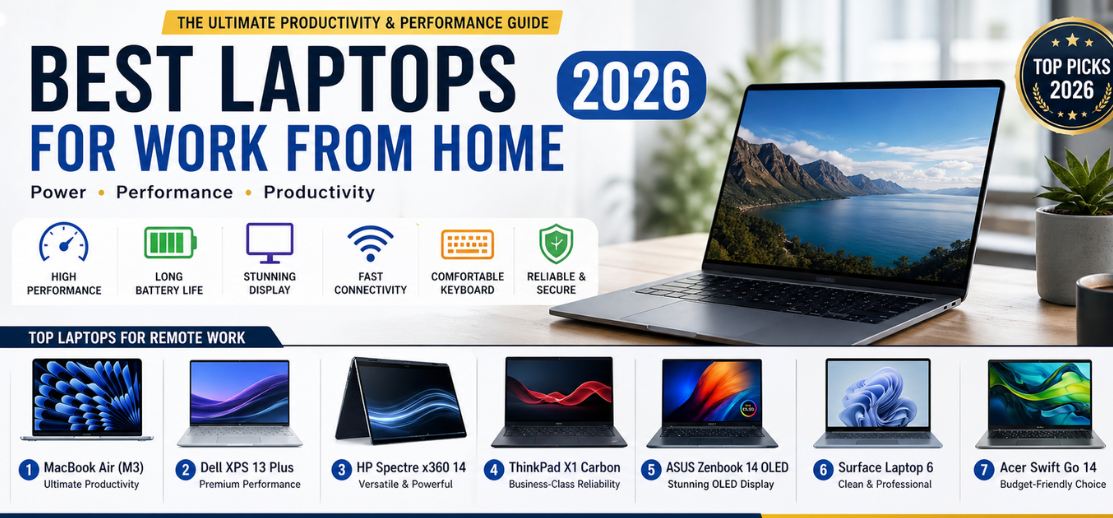
In the modern era of remote work, hybrid offices, freelancing, and digital collaboration, selecting the best laptop for work from home is a strategic decision that directly impacts productivity, efficiency, communication, and long-term performance. We present a comprehensive, deeply structured, and performance-focused guide to the top laptops for work from home in 2026, designed to meet the demands of professionals, students, freelancers, and entrepreneurs.
This guide delivers detailed insights into performance, battery life, display quality, connectivity, ergonomics, and reliability, ensuring every recommendation provides a seamless and efficient work-from-home experience.
What Defines the Best Work From Home Laptop
A high-performance laptop for remote work must deliver:
- Fast and responsive performance for multitasking
- Reliable video conferencing capability
- Long battery life for uninterrupted workflows
- Comfortable keyboard and large trackpad
- High-quality display for extended screen time
- Strong connectivity options (Wi-Fi 6/7, Bluetooth, ports)
These features ensure smooth execution of daily tasks, including video meetings, document editing, web browsing, and collaboration tools like Microsoft Teams, Zoom, and Google Meet.
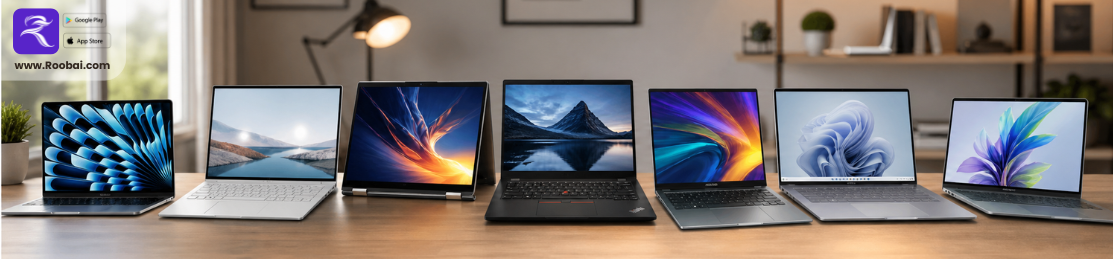
Best Laptops for Work From Home (Top Picks 2026)
1. Apple MacBook Air (M3) – The Ultimate Productivity Machine
The MacBook Air (M3) stands as a top-tier work-from-home laptop, offering exceptional efficiency, silent operation, and premium build quality.
Key Specifications:
- Processor: Apple M3 chip
- Display: 13.6-inch Liquid Retina
- Battery Life: Up to 18 hours
- Weight: Ultra-lightweight
Work Performance:
This laptop delivers instant responsiveness, smooth multitasking, and exceptional battery endurance, making it ideal for remote professionals and students.
2. Dell XPS 13 Plus – Premium Windows Productivity
The Dell XPS 13 Plus offers a sleek design with powerful performance, making it perfect for professional work environments.
Key Specifications:
- Processor: Intel Core Ultra series
- Display: OLED / 4K options
- Build: Premium aluminum chassis
Work Performance:
It provides fast performance, excellent display clarity, and smooth multitasking capabilities.
3. HP Spectre x360 14 – Versatile and Powerful
The HP Spectre x360 14 combines flexibility with performance, making it ideal for creative and professional tasks.
Key Specifications:
- Convertible 2-in-1 design
- OLED touchscreen display
- Stylus support
Work Performance:
Perfect for presentations, note-taking, and multitasking workflows.
4. Lenovo ThinkPad X1 Carbon Gen 12 – Business-Class Reliability
The ThinkPad X1 Carbon is built for professional reliability and durability, making it a top choice for corporate users.
Key Specifications:
- Legendary ThinkPad keyboard
- Lightweight and durable design
- Strong security features
Work Performance:
It ensures consistent performance and unmatched typing comfort.
5. ASUS Zenbook 14 OLED – Balanced Performance and Display Quality
The ASUS Zenbook 14 OLED delivers excellent performance with stunning visuals, ideal for long working hours.
Key Specifications:
- OLED display
- Lightweight design
- Efficient processor
Work Performance:
Provides smooth performance and reduced eye strain during extended usage.
6. Microsoft Surface Laptop 6 – Clean and Professional Experience
The Surface Laptop 6 offers a clean Windows experience with premium design and performance.
Key Specifications:
- PixelSense display
- High-quality keyboard
- Slim and elegant design
Work Performance:
Ideal for office tasks, presentations, and remote collaboration.
7. Acer Swift Go 14 – Budget-Friendly Productivity
The Acer Swift Go 14 provides strong performance at an affordable price, making it perfect for students and entry-level professionals.
Key Specifications:
- Intel Core processor
- Lightweight build
- Good battery life
Work Performance:
Handles daily tasks efficiently without compromising speed.
Work From Home Laptop Comparison Table (2026)
| Laptop | Processor | Battery Life | Display | Best For |
|---|---|---|---|---|
| MacBook Air (M3) | Apple M3 | 18 hours | Retina | Overall productivity |
| Dell XPS 13 Plus | Intel Core Ultra | 12–14 hours | OLED / 4K | Premium Windows users |
| HP Spectre x360 14 | Intel Core Ultra | 12–15 hours | OLED Touch | Versatility |
| ThinkPad X1 Carbon Gen 12 | Intel Core Ultra | 15 hours | High-quality IPS | Business professionals |
| ASUS Zenbook 14 OLED | Intel/AMD | 12–14 hours | OLED | Balanced usage |
| Surface Laptop 6 | Intel Core Ultra | 13–15 hours | PixelSense | Clean Windows experience |
| Acer Swift Go 14 | Intel Core | 10–12 hours | IPS | Budget users |
Key Features to Consider for Work From Home Laptops
1. Performance and Multitasking
A modern CPU ensures smooth handling of multiple applications simultaneously.
2. Battery Life
Long battery life supports uninterrupted work sessions without constant charging.
3. Display Quality
A high-quality display reduces eye strain and improves productivity.
4. Keyboard and Ergonomics
Comfortable keyboards ensure efficient typing during long work hours.
5. Connectivity and Ports
Essential for external monitors, accessories, and stable internet connectivity.
Best Laptops by Work Category
- Best Overall: MacBook Air (M3)
- Best Windows Laptop: Dell XPS 13 Plus
- Best for Business: ThinkPad X1 Carbon
- Best 2-in-1 Laptop: HP Spectre x360
- Best Budget Option: Acer Swift Go 14
Work From Home Setup Optimization Tips
- Use an external monitor for increased productivity
- Invest in ergonomic accessories
- Ensure stable high-speed internet connection
- Use noise-canceling headphones for meetings
- Keep your system updated for optimal performance
Advantages of High-Performance Work Laptops
- Improved workflow efficiency
- Faster task completion
- Enhanced communication quality
- Better multitasking capabilities
- Long-term reliability
Final Verdict: Choosing the Best Laptop for Remote Work
Selecting the right laptop ensures maximum productivity, seamless communication, and efficient workflow management. Whether prioritizing portability, performance, or budget, the laptops listed above deliver exceptional reliability and performance for work-from-home environments.
A powerful work laptop transforms daily tasks into smooth, efficient, and stress-free experiences, enabling professionals to focus entirely on productivity and results.
FAQs
1. What is the best laptop for work from home?
MacBook Air M3.
2. Is battery life important?
Yes, essential.
3. How much RAM is needed?
8GB minimum, 16GB recommended.
4. Are MacBooks good for work?
Yes, excellent performance.
5. Is Windows better than macOS?
Depends on preference.
6. Do I need a webcam?
Yes, for meetings.
7. Is SSD necessary?
Yes, for speed.
8. Can budget laptops handle work?
Yes.
9. Is display quality important?
Yes.
10. Do I need external accessories?
Optional but helpful.
11. Is portability important?
Yes.
12. Are 2-in-1 laptops useful?
Yes.
13. Do I need high refresh rate?
Not necessary.
14. Is cooling important?
Yes.
15. Are lightweight laptops better?
Yes.
16. Do I need a powerful GPU?
Not for basic work.
17. Is keyboard quality important?
Yes.
18. Are business laptops better?
Yes, for reliability.
19. Can laptops replace desktops?
Yes.
20. Is Wi-Fi 6 important?
Yes.
21. Do I need long battery life?
Yes.
22. Are premium laptops worth it?
Yes.
23. Do I need a touchscreen?
Optional.
24. Is upgradeability important?
Yes.
25. Should you buy a work laptop in 2026?
Yes.