
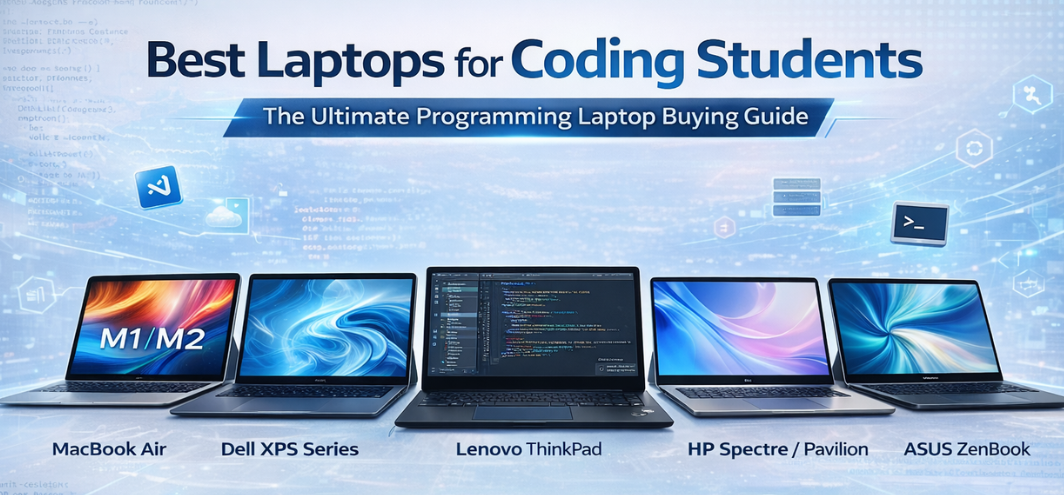
The modern coding student requires more than a basic computer. Software development today involves compilers, virtual machines, containers, IDEs, browser testing, AI tools, and multitasking workflows that demand reliable hardware. The best laptops for coding students combine powerful processors, fast storage, efficient RAM management, comfortable keyboards, long battery life, and stable operating systems.
We present a comprehensive guide to the top laptops for coding students, designed to support beginners, computer science majors, and advanced developers working across web development, app development, data science, and machine learning.
Why Choosing the Right Coding Laptop Matters
Programming workflows depend heavily on responsiveness and multitasking stability. Slow machines disrupt productivity, increase build times, and create workflow friction.
A strong coding laptop ensures:
-
Fast compilation times
-
Smooth IDE performance
-
Efficient multitasking
-
Stable virtualization
-
Reliable battery life for classes
-
Comfortable long coding sessions
Modern students also require laptops that support Git workflows, Docker, Linux environments, and cloud development platforms.
How We Selected the Best Laptops for Coding Students
| Criteria | Evaluation Focus |
|---|---|
| Processor | Multicore performance |
| RAM | Minimum 8GB, ideal 16GB |
| Storage | SSD speed and capacity |
| Keyboard | Typing comfort |
| Battery | Real-world endurance |
| Build | Portability and durability |
Top Best Laptops for Coding Students (2026 Edition)
Apple MacBook Air — Efficient Development Machine
Designed by Apple, the MacBook Air offers high efficiency, silent performance, and exceptional battery life.
Key Strengths:
-
Optimized chip architecture
-
Smooth development tools support
-
Unix-based environment
-
Lightweight portability
We experience fast builds, stable multitasking, and seamless terminal workflows, making it ideal for web development and mobile app coding.
Best For: Students working with iOS, web, and cross-platform development.
Dell XPS Series — Premium Windows Coding Experience
Manufactured by Dell, the XPS lineup combines performance, premium build quality, and excellent displays.
Highlights:
-
Strong multicore CPUs
-
High-resolution screens
-
Comfortable keyboard
-
Robust cooling
These laptops deliver reliable performance for virtualization, backend development, and heavy IDE usage.
Best For: Advanced programming students.
HP Spectre / Pavilion Series — Balanced Performance
Produced by HP, these laptops provide solid hardware at accessible pricing.
Advantages:
-
Good battery optimization
-
Lightweight designs
-
Reliable performance
-
Convertible options
They are ideal for students balancing coding with general academic tasks.
Best For: Everyday coding and portability.
Lenovo ThinkPad Series — Keyboard and Reliability Leader
Built by Lenovo, ThinkPads remain favorites among developers due to typing comfort and durability.
Key Traits:
-
Industry-leading keyboard
-
Linux compatibility
-
Durable chassis
-
Strong business-class reliability
We consider ThinkPads excellent for long coding sessions and professional workflows.
Best For: Heavy typists and Linux users.
ASUS VivoBook / ZenBook Series — Performance Value
Developed by ASUS, these laptops emphasize performance per price.
Standout Features:
-
Fast SSD storage
-
Efficient processors
-
Portable designs
-
Competitive pricing
They provide excellent entry-to-mid level coding performance.
Best For: Budget-conscious coding students.
Acer Swift / Aspire Series — Budget Coding Power
Produced by Acer, these laptops deliver strong specifications at lower prices.
Benefits:
-
Good RAM configurations
-
Lightweight designs
-
Solid battery life
-
Affordable pricing
They offer reliable performance for beginners and intermediate developers.
Best For: Entry-level programming.
Microsoft Surface Laptop — Clean Software Experience
Engineered by Microsoft, Surface devices focus on premium build and optimized Windows performance.
Key Strengths:
-
Excellent display quality
-
Smooth performance
-
Lightweight design
-
Strong battery life
They provide consistent coding workflows with minimal software clutter.
Best For: Students prioritizing design and stability.
Essential Specifications for Coding Laptops
Processor (CPU)
Multicore processors improve compilation, multitasking, and container workloads.
RAM
-
Minimum: 8GB
-
Recommended: 16GB
-
Advanced workloads: 32GB
Storage
SSD storage ensures fast boot, quick file access, and smooth IDE performance.
Keyboard Quality
Critical for long coding sessions.
Battery Life
Essential for classes, labs, and travel.
Display Considerations for Developers
| Feature | Importance |
|---|---|
| Resolution | Improves code readability |
| Screen size | Affects multitasking |
| Anti-glare | Reduces eye strain |
| Color accuracy | Useful for design work |
Larger screens improve split-screen coding and debugging.
Best Laptops for Coding Students by Use Case
-
Web Development: MacBook Air, ASUS ZenBook
-
Software Engineering: Dell XPS, ThinkPad
-
Data Science: Surface Laptop, XPS
-
Budget Coding: Acer Aspire, ASUS VivoBook
-
Linux Development: ThinkPad
-
Creative + Coding: MacBook Air
Operating System Choices for Coding
macOS
-
Strong Unix foundation
-
Popular for web and mobile development
Windows
-
Wide software compatibility
-
Enterprise tools
Linux
-
Lightweight and customizable
-
Ideal for backend development
Many coding laptops support dual boot and virtualization.
RAM and Multitasking Requirements
Programming often involves:
-
Browser tabs
-
IDE
-
Terminal
-
Containers
-
Databases
-
Communication tools
More RAM ensures smooth workflow without slowdowns.
Storage Recommendations
Students should consider:
-
Minimum 512GB SSD
-
External storage for projects
-
Cloud backups
Fast storage improves build speed and responsiveness.
Battery Life Expectations
Coding laptops typically provide:
-
6–12 hours real usage
-
Fast charging
-
Efficient standby
Battery endurance determines mobility across campus.
Comparison Table: Best Laptops for Coding Students
| Laptop Series | OS | Strength | Best For |
|---|---|---|---|
| MacBook Air | macOS | Efficiency | Web dev |
| Dell XPS | Windows | Performance | Advanced dev |
| HP Spectre | Windows | Balance | Students |
| ThinkPad | Windows/Linux | Keyboard | Heavy coding |
| ASUS ZenBook | Windows | Value | Budget performance |
| Acer Swift | Windows | Affordability | Beginners |
| Surface Laptop | Windows | Design | Productivity |
Tips for Choosing a Coding Laptop
-
Prioritize CPU and RAM first
-
Choose SSD storage
-
Consider Linux compatibility
-
Check keyboard reviews
-
Look for good cooling
Common Mistakes Coding Students Make
-
Buying low RAM devices
-
Ignoring keyboard comfort
-
Choosing HDD storage
-
Overpaying for gaming GPUs
-
Ignoring battery life
Avoiding these ensures long-term productivity.
Future Trends in Coding Laptops
We observe rapid evolution including:
-
AI coding acceleration
-
ARM-based efficiency chips
-
Cloud development integration
-
Longer battery life
-
Fanless high-performance devices
-
Advanced thermal design
Coding laptops are becoming portable development workstations.
Final Verdict
The best laptops for coding students combine processing power, efficient RAM, fast storage, comfortable keyboards, and reliable battery life to support modern development workflows. Whether focusing on web development, software engineering, data science, or mobile apps, selecting the right laptop ensures smoother builds, faster learning, and better productivity.
The models listed represent the most reliable programming laptops across budgets and operating systems, offering students a strong foundation for academic and professional growth.
FAQs
-
Which laptop is best for coding students?
MacBook Air and Dell XPS are top choices. -
How much RAM is needed for coding?
16GB recommended. -
Is SSD necessary?
Yes for speed. -
Are gaming laptops good for coding?
Not always necessary. -
Is Mac good for programming?
Yes especially web and iOS. -
Can Windows laptops run Linux?
Yes via dual boot. -
What screen size is ideal?
13–15 inches. -
Do coding laptops need GPU?
Only for AI or graphics. -
Is battery important?
Very important. -
Can budget laptops handle coding?
Yes for basic projects. -
Which CPU is best?
Modern multicore CPUs. -
Are ThinkPads good for coding?
Excellent keyboard and reliability. -
Do developers use Mac?
Many do. -
Is 8GB RAM enough?
For beginners only. -
Can we upgrade RAM later?
Depends on model. -
Do coding laptops overheat?
Good cooling prevents this. -
How long does a coding laptop last?
4–6 years. -
Do we need external monitor?
Helpful but optional. -
Is lightweight important?
Yes for students. -
Are Chromebooks good for coding?
Limited but improving. -
Should students buy premium laptops?
If budget allows. -
Can coding be done on tablets?
Limited compared to laptops. -
Is keyboard backlight important?
Useful for night coding. -
Do coding laptops need high refresh screens?
Not necessary. -
Are coding laptops improving?
Yes rapidly.
For more information and to start using Roobai.com, visit our official website and download the app to stay updated on the best deals and offers. With Roobai.com, you can ensure that every shopping experience is not just an opportunity to shop but an opportunity to save big