
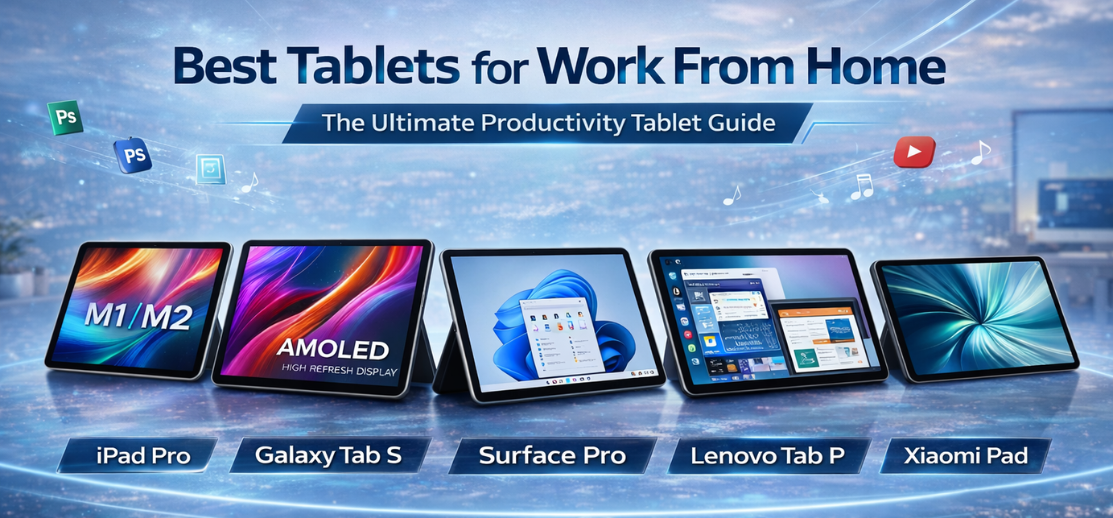
Remote work has reshaped how professionals interact with technology, and tablets for work from home have evolved into powerful productivity machines. Modern tablets deliver desktop-level performance, keyboard support, stylus precision, multitasking software, video conferencing capabilities, and long battery life in a portable form factor.
We present a comprehensive guide to the best tablets for work from home, highlighting performance, display quality, ecosystem integration, accessories, and real-world workflow efficiency.
Why Tablets Are Ideal for Work From Home
The modern remote professional requires flexibility, mobility, and performance. Tablets meet these demands by combining laptop functionality with smartphone convenience.
Key advantages include:
-
Portable productivity
-
Instant wake and long battery life
-
Keyboard and stylus compatibility
-
Seamless video conferencing
-
Cloud workflow integration
-
Split-screen multitasking
Today’s tablets are capable of handling documents, spreadsheets, presentations, creative work, coding environments, meetings, and collaboration tools.
How We Selected the Best Tablets for Remote Work
| Criteria | Evaluation Focus |
|---|---|
| Performance | Processor power, RAM efficiency |
| Display | Size, brightness, color accuracy |
| Software | Multitasking features |
| Accessories | Keyboard, stylus, docks |
| Battery | Real-world endurance |
| Connectivity | Wi-Fi stability, cellular options |
Top Best Tablets for Work From Home (2026 Edition)
Apple iPad Pro — The Productivity Benchmark
Powered by industry-leading silicon from Apple, the iPad Pro delivers laptop-class performance in tablet form.
Key Strengths:
-
High-performance chip architecture
-
ProMotion high-refresh display
-
Advanced multitasking tools
-
Exceptional stylus support
We experience fluid workflow for video editing, design, document management, and conferencing.
Best For: Creative professionals and power users.
Samsung Galaxy Tab S Series — Android Multitasking Leader
Built by Samsung, the Galaxy Tab S lineup emphasizes productivity software and display excellence.
Highlights:
-
AMOLED displays
-
Desktop-style DeX mode
-
S Pen included
-
Strong multitasking capabilities
These tablets deliver true laptop-like workflows within Android environments.
Best For: Professionals needing flexible multitasking.
Microsoft Surface Pro — Laptop Replacement Hybrid
Engineered by Microsoft, Surface devices blend tablet portability with full desktop operating systems.
Advantages:
-
Full desktop apps
-
Detachable keyboard
-
Stylus precision
-
Enterprise integration
We consider Surface devices ideal for traditional office workflows and advanced productivity tools.
Best For: Corporate users and advanced productivity tasks.
Lenovo Tab P Series — Balanced Productivity Value
Produced by Lenovo, this lineup focuses on affordable performance and strong accessories.
Key Traits:
-
Large displays
-
Keyboard bundles
-
Good battery life
-
Smooth UI
These tablets provide excellent value for remote work setups.
Best For: Budget professionals.
Xiaomi Pad Series — Premium Experience at Competitive Pricing
Developed by Xiaomi, the Pad series delivers high refresh displays and efficient performance.
Standout Features:
-
Smooth UI optimization
-
Stylus compatibility
-
Strong media performance
-
Competitive pricing
We find them ideal for content consumption combined with productivity tasks.
Best For: Hybrid work and entertainment.
OnePlus Pad — Performance and Design Innovation
Created by OnePlus, this tablet emphasizes design, speed, and ecosystem integration.
Benefits:
-
Fast performance
-
Clean software experience
-
Strong battery optimization
-
Accessory ecosystem
It delivers responsive multitasking suited for remote professionals.
Best For: Users seeking performance with minimal software clutter.
Essential Features to Look for in Work-From-Home Tablets
Performance Power
Efficient processors ensure smooth multitasking across apps.
Display Quality
Large, bright screens reduce eye strain during long sessions.
Keyboard Support
Transforms tablets into laptop-like productivity tools.
Stylus Integration
Essential for note-taking, design, and annotation.
Battery Life
Long endurance ensures uninterrupted workdays.
Display Size Matters for Productivity
| Screen Size | Best Use Case |
|---|---|
| 10–11 inch | Portable productivity |
| 12–13 inch | Laptop replacement |
| 14+ inch | Creative workflows |
Larger displays improve document editing, multitasking, and video conferencing visibility.
Software Features That Improve Remote Work
Modern tablets include:
-
Split screen multitasking
-
Floating windows
-
Desktop modes
-
Cloud storage integration
-
Collaboration tools
-
Screen recording
-
External monitor support
These features enable complete workstation functionality.
Accessories That Transform Tablets into Workstations
Keyboard Cases
Provide typing comfort and shortcuts.
Stylus Pens
Enable digital note-taking and creative tasks.
Docks and Stands
Improve ergonomics for long sessions.
External Storage
Expands workflow capacity.
Comparison Table: Best Tablets for Work From Home
| Tablet | OS | Display | Strength |
|---|---|---|---|
| iPad Pro | iPadOS | High refresh | Performance |
| Galaxy Tab S | Android | AMOLED | Multitasking |
| Surface Pro | Windows | Large | Desktop apps |
| Lenovo Tab P | Android | Large | Value |
| Xiaomi Pad | Android | High refresh | Price performance |
| OnePlus Pad | Android | Smooth UI | Speed |
Best Tablets for Work From Home by Use Case
-
Creative Work: iPad Pro
-
Office Productivity: Surface Pro
-
Android Multitasking: Galaxy Tab S
-
Budget Productivity: Lenovo Tab P
-
Hybrid Work: Xiaomi Pad
-
Performance Value: OnePlus Pad
Battery Life Expectations
Most productivity tablets provide:
-
8–12 hours active work
-
All-day standby
-
Fast charging
-
Power efficiency optimization
Battery performance determines mobility and workflow continuity.
Connectivity Features That Matter
Important connectivity features include:
-
Wi-Fi 6 / Wi-Fi 7
-
Bluetooth keyboard support
-
Cellular variants
-
USB-C hubs
-
External monitor output
Strong connectivity ensures seamless remote collaboration.
Advantages of Using Tablets Instead of Laptops
-
Instant startup
-
Better portability
-
Touch and stylus interaction
-
Long battery life
-
Quiet operation
-
Flexible usage modes
Tablets provide adaptive workflows for modern professionals.
Future Trends in Productivity Tablets
The category is evolving rapidly with:
-
AI workflow assistants
-
Desktop-class chips
-
Improved stylus latency
-
Foldable displays
-
Advanced multitasking software
-
Cloud-native computing
Tablets are becoming primary computing devices rather than secondary screens.
Final Verdict
The best tablets for work from home combine performance, display quality, accessory ecosystems, and software intelligence to create complete productivity environments. Whether prioritizing creative work, office tasks, hybrid workflows, or budget value, modern tablets deliver versatile solutions that rival traditional laptops.
Choosing the right tablet depends on workflow complexity, operating system preference, and accessory requirements, but the models listed represent the strongest productivity tablets available today.
FAQs
-
Which tablet is best for work from home?
iPad Pro and Surface Pro are top choices. -
Are tablets good for office work?
Yes with keyboards. -
Can tablets replace laptops?
Many modern tablets can. -
Is stylus necessary?
Useful for notes and design. -
What screen size is best?
12–13 inch for productivity. -
Do tablets support Zoom calls?
Yes. -
Can we use external monitors?
Many support it. -
Are Android tablets good for work?
Yes with multitasking features. -
How much RAM is needed?
At least 6–8GB. -
Do tablets support Microsoft Office?
Yes. -
Are keyboards included?
Often sold separately. -
How long do tablets last?
4–5 years. -
Is battery life better than laptops?
Usually yes. -
Can tablets handle coding?
Surface and iPad can. -
Do tablets support multitasking?
Yes split screen. -
Are tablets good for designers?
Excellent with stylus. -
Do they overheat?
Rare in normal use. -
Can we print from tablets?
Yes via Wi-Fi printers. -
Are tablets secure?
Yes with biometric locks. -
Do tablets support cloud storage?
Yes. -
Can they run video editing apps?
High-end models can. -
Are budget tablets good?
Good for basic work. -
Do tablets support mouse input?
Yes. -
Which OS is best for productivity?
Depends on workflow. -
Are tablets improving quickly?
Yes rapidly.
For more information and to start using Roobai.com, visit our official website and download the app to stay updated on the best deals and offers. With Roobai.com, you can ensure that every shopping experience is not just an opportunity to shop but an opportunity to save big