
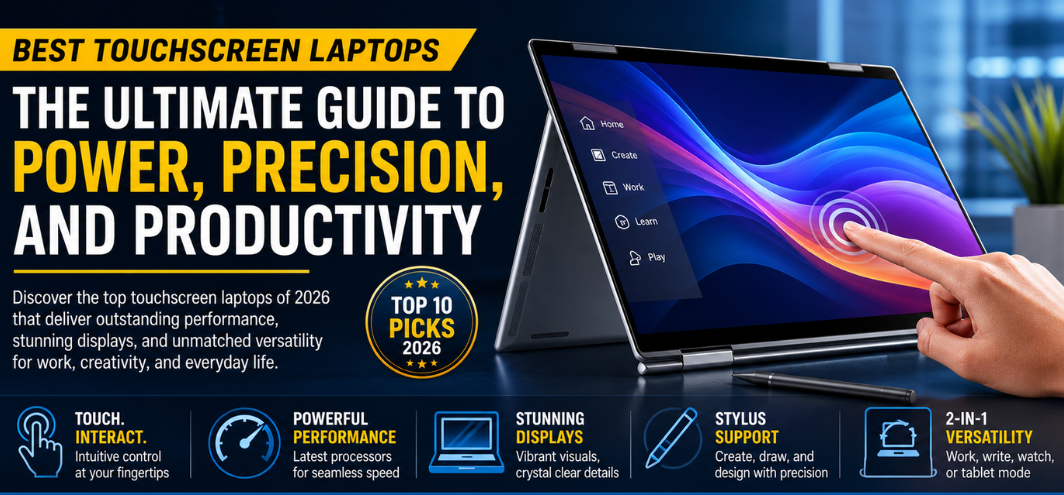
In today’s fast-evolving digital landscape, touchscreen laptops have redefined how we interact with technology. We are no longer confined to keyboards and trackpads; instead, we experience intuitive, fluid, and highly responsive interfaces that empower creativity, efficiency, and multitasking. This comprehensive guide explores the best touchscreen laptops available, delivering deep insights, performance benchmarks, and buying intelligence designed to help you dominate productivity and digital workflows.
Why Touchscreen Laptops Are Transforming Modern Computing
Touchscreen laptops bring together the portability of traditional laptops and the interactivity of tablets, creating a hybrid experience that enhances both work and entertainment. These devices are engineered for:
- Seamless navigation and gesture control
- Creative flexibility for designers and artists
- Enhanced productivity in multitasking environments
- Interactive presentations and learning experiences
The ability to tap, swipe, draw, and annotate directly on the screen transforms everyday computing into a dynamic and immersive experience.
Key Features to Look for in the Best Touchscreen Laptops
1. Display Quality and Responsiveness
A superior touchscreen laptop must feature:
- High resolution (Full HD, 2K, or 4K)
- IPS or OLED panels for vibrant colors
- Low latency touch response
- Anti-glare and high brightness levels
2. Performance and Processing Power
To ensure smooth operation:
- Latest Intel Core or AMD Ryzen processors
- Minimum 8GB RAM (16GB recommended)
- SSD storage for fast boot times and app loading
3. Build Quality and Design
Premium touchscreen laptops offer:
- Durable aluminum or magnesium alloy chassis
- 360-degree hinges for flexibility
- Lightweight and portable form factor
4. Battery Life
Look for devices with:
- At least 8–12 hours of battery life
- Fast charging support
5. Stylus Support
For creators and professionals:
- Active pen compatibility
- Pressure sensitivity and palm rejection
Top 10 Best Touchscreen Laptops in 2026
1. Dell XPS 13 2-in-1
The Dell XPS 13 2-in-1 stands as a benchmark for premium design and performance.
- 13.4-inch 4K UHD+ touchscreen
- Intel Core Ultra processors
- Ultra-thin bezels
- Exceptional build quality
This laptop is ideal for professionals who demand power and elegance.
2. HP Spectre x360 14
The HP Spectre x360 14 combines luxury aesthetics with high-end performance.
- OLED touchscreen display
- Long battery life
- 360-degree hinge
- Advanced security features
Perfect for executives and creative users.
3. Lenovo Yoga 9i
The Lenovo Yoga 9i delivers versatility and immersive multimedia capabilities.
- Dolby Vision display
- Integrated stylus
- Premium audio system
- Smooth multitasking performance
A top choice for content creators and multimedia enthusiasts.
4. Microsoft Surface Laptop Studio
The Microsoft Surface Laptop Studio is engineered for creative professionals.
- Unique pull-forward touchscreen design
- High refresh rate display
- Powerful GPU options
- Surface Pen compatibility
It excels in design, video editing, and digital art.
5. ASUS ZenBook Flip 14
The ASUS ZenBook Flip 14 offers powerful performance at a competitive price.
- AMD Ryzen processors
- Slim and lightweight design
- Strong battery efficiency
- Responsive touchscreen
Ideal for students and professionals on a budget.
6. Acer Spin 5
The Acer Spin 5 is known for its balance between performance and affordability.
- 2K touchscreen display
- Stylus included
- Lightweight chassis
- Reliable performance
A solid option for everyday productivity.
7. Samsung Galaxy Book3 Pro 360
The Samsung Galaxy Book3 Pro 360 delivers premium display and ecosystem integration.
- AMOLED touchscreen
- Ultra-slim design
- S Pen support
- Seamless connectivity with Galaxy devices
Perfect for users invested in Samsung’s ecosystem.
8. LG Gram 14 2-in-1
The LG Gram 14 2-in-1 focuses on portability without compromising performance.
- Ultra-lightweight design
- Long battery life
- Durable build
- Bright touchscreen display
Best suited for frequent travelers and business users.
9. Lenovo Flex 5
The Lenovo Flex 5 offers excellent value for money.
- AMD Ryzen performance
- Decent touchscreen responsiveness
- Affordable pricing
- Solid build quality
A practical choice for budget-conscious buyers.
10. HP Pavilion x360
The HP Pavilion x360 is a reliable entry-level touchscreen laptop.
- Flexible hinge design
- Good battery life
- Affordable price point
- Suitable for everyday use
Ideal for students and casual users.
Touchscreen Laptop vs Traditional Laptop: A Strategic Comparison
| Feature | Touchscreen Laptop | Traditional Laptop |
|---|---|---|
| Interaction | Touch + Keyboard | Keyboard + Trackpad |
| Flexibility | High (2-in-1 modes) | Limited |
| Creativity | Excellent for drawing/design | Limited |
| Cost | Slightly higher | Generally lower |
| User Experience | Interactive and intuitive | Standard |
Best Use Cases for Touchscreen Laptops
1. Creative Professionals
Designers, illustrators, and video editors benefit from:
- Direct screen interaction
- Stylus precision
- Enhanced workflow efficiency
2. Students and Educators
Touchscreen laptops enable:
- Interactive note-taking
- Digital annotations
- Flexible learning environments
3. Business Professionals
For meetings and presentations:
- Quick navigation
- Interactive demos
- Improved productivity
4. Everyday Users
For casual use:
- Easy browsing
- Media consumption
- User-friendly interface
Advantages of Touchscreen Laptops
- Enhanced productivity through intuitive interaction
- Improved creativity with stylus support
- Flexible usage modes (tablet, tent, laptop)
- Modern and sleek designs
Potential Drawbacks to Consider
- Higher cost compared to non-touch laptops
- Slightly reduced battery life in some models
- Glossy screens may reflect light
- Heavier due to touchscreen components
How to Choose the Best Touchscreen Laptop
When selecting a touchscreen laptop, prioritize:
- Performance needs (basic vs professional use)
- Display quality for visual tasks
- Battery life for mobility
- Build quality for durability
- Budget constraints
Future Trends in Touchscreen Laptops
The evolution of touchscreen laptops is driven by:
- AI-powered interfaces
- Improved stylus technology
- Foldable and dual-screen designs
- Enhanced battery efficiency
- Higher refresh rate displays
These innovations will continue to redefine user interaction and computing efficiency.
Frequently Asked Questions (25 FAQs)
1. What is a touchscreen laptop?
A laptop with a display that responds to touch input.
2. Are touchscreen laptops worth it?
Yes, for users who value interactivity and flexibility.
3. Do touchscreen laptops consume more battery?
Slightly more, but modern devices are optimized.
4. Can I use a stylus on all touchscreen laptops?
No, only compatible models support stylus input.
5. Are touchscreen laptops good for students?
Yes, especially for note-taking and learning.
6. Which is better: OLED or IPS touchscreen?
OLED offers better contrast, IPS offers better battery efficiency.
7. Are touchscreen laptops durable?
Yes, especially premium models with Gorilla Glass protection.
8. Can I disable touchscreen functionality?
Yes, through system settings.
9. Are touchscreen laptops heavier?
Slightly, due to added components.
10. Do touchscreen laptops overheat?
Not typically, if properly designed.
11. Are they good for gaming?
Only high-performance models are suitable.
12. What size is best?
13–14 inches for portability, 15+ for productivity.
13. Do they support multitasking?
Yes, especially with higher RAM configurations.
14. Are 2-in-1 laptops better?
They offer greater flexibility.
15. Is touchscreen useful for coding?
Limited, but helpful for navigation.
16. Can I clean the touchscreen easily?
Yes, with microfiber cloth.
17. Do they scratch easily?
Not if protected properly.
18. Are they suitable for business use?
Yes, highly effective.
19. What is the average lifespan?
3–5 years or more.
20. Do they support external monitors?
Yes.
21. Are they good for video editing?
Yes, high-end models are excellent.
22. What OS works best?
Windows offers the best touchscreen support.
23. Are Chromebooks with touchscreens good?
Yes, for light tasks.
24. Can I replace the touchscreen?
Yes, but it can be costly.
25. Are touchscreen laptops the future?
Yes, they are becoming mainstream computing devices.