
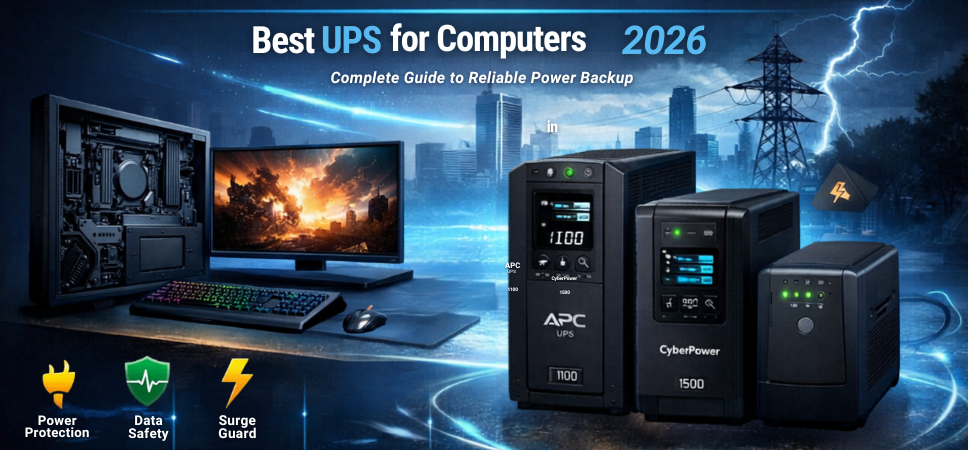
Power interruptions can cause serious problems for computers, including data loss, hardware damage, system crashes, and workflow disruption. A high-quality UPS (Uninterruptible Power Supply) protects computers from sudden power failures while also stabilizing voltage fluctuations.
Selecting the best UPS for computers ensures reliable backup power for desktops, gaming PCs, workstations, and home office systems. Modern UPS devices provide advanced safety protections, fast switching times, and energy-efficient operation.
This comprehensive guide explores the best UPS systems for computers, explains key features to evaluate, and presents detailed comparisons to help us select the most reliable UPS for long-term performance.
What is a UPS for Computers
A UPS (Uninterruptible Power Supply) is a device that provides instant backup power when the main electricity supply fails. It includes an internal battery that supplies power to connected devices for a limited time.
The main purpose of a UPS is to:
-
Prevent sudden shutdowns
-
Protect computer hardware
-
Save important data
-
Provide time to properly shut down systems
UPS systems are widely used in home offices, gaming setups, business environments, and data centers.
Why Computers Need a UPS
Computers are highly sensitive to voltage fluctuations and unexpected power cuts. Without a UPS, sudden outages may damage critical components such as the motherboard, hard drives, SSDs, and power supply units.
Major Benefits of Using a UPS
-
Immediate backup power during outages
-
Protection from voltage spikes
-
Prevention of data corruption
-
Safe shutdown for operating systems
-
Improved lifespan of computer components
A reliable UPS ensures continuous productivity and hardware safety.
Types of UPS for Computers
Understanding the different UPS types helps us choose the right device for our system requirements.
Offline UPS (Standby UPS)
Offline UPS systems are the most common and affordable type.
Key Features
-
Basic power backup
-
Compact design
-
Ideal for home computers
-
Quick switching to battery mode
These UPS units usually have a switching time of 6–10 milliseconds.
Line Interactive UPS
Line interactive UPS systems include automatic voltage regulation (AVR).
Key Features
-
Better voltage stabilization
-
Faster response to power fluctuations
-
Ideal for workstations and office PCs
This type is widely considered the best UPS type for computers.
Online UPS
Online UPS systems provide continuous power from the battery inverter.
Key Features
-
Zero switching time
-
Highest power protection
-
Used in servers and critical systems
They are more expensive but offer maximum reliability.
Best UPS Capacity for Computers
Selecting the right UPS capacity is essential to support all connected devices.
Recommended UPS Capacities
| Computer Setup | Recommended UPS |
|---|---|
| Basic desktop PC | 600–800 VA |
| Desktop + monitor | 800–1000 VA |
| Gaming PC | 1000–1500 VA |
| Workstation | 1500 VA or higher |
The VA rating determines how much load the UPS can handle.
Best UPS for Computers in 2026
Below are some of the most reliable UPS systems available for computer protection.
APC Back-UPS BX1100C-IN
The APC Back-UPS BX1100C-IN is one of the most trusted UPS solutions for home and office computers.
Key Features
-
1100 VA capacity
-
Automatic voltage regulation
-
Multiple battery backup outlets
-
Intelligent battery management
Performance Highlights
This UPS offers excellent voltage stabilization and dependable backup time for desktop computers and networking devices.
CyberPower UT1500E UPS
The CyberPower UT1500E provides powerful backup capacity and stable output voltage.
Key Features
-
1500 VA capacity
-
Simulated sine wave output
-
Surge protection
-
LED status indicators
Performance Highlights
It is suitable for high-performance desktop systems and gaming PCs.
Microtek Legend 1000 UPS
The Microtek Legend 1000 UPS is a reliable option for home and office computers.
Key Features
-
1000 VA capacity
-
Intelligent battery charging
-
Wide input voltage range
-
Compact design
Performance Highlights
This UPS delivers stable backup power for mid-range computer setups.
Zebronics Zeb-U725 UPS
The Zebronics Zeb-U725 is a budget-friendly UPS suitable for basic PC usage.
Key Features
-
600 VA capacity
-
Overload protection
-
Compact design
-
LED indicators
Performance Highlights
It is ideal for home computers and basic office setups.
Artis PS-1000Eco UPS
The Artis PS-1000Eco is designed for reliable power backup and surge protection.
Key Features
-
1000 VA capacity
-
Intelligent battery management
-
Wide voltage range
-
High-efficiency design
Performance Highlights
This UPS offers excellent performance for desktop computers and small workstations.
Comparison Table of Best UPS for Computers
| UPS Model | Capacity | UPS Type | Best For |
|---|---|---|---|
| APC BX1100C-IN | 1100 VA | Line Interactive | Office computers |
| CyberPower UT1500E | 1500 VA | Line Interactive | Gaming PCs |
| Microtek Legend 1000 | 1000 VA | Line Interactive | Home desktops |
| Zebronics Zeb-U725 | 600 VA | Offline | Basic PCs |
| Artis PS-1000Eco | 1000 VA | Line Interactive | Workstations |
Key Features to Look for in the Best UPS for Computers
Selecting the right UPS requires evaluating several important features.
Battery Backup Time
Backup time determines how long the UPS can power devices during outages.
Typical backup duration:
-
5–10 minutes for desktop PCs
-
10–20 minutes for smaller systems
This time allows us to save files and safely shut down computers.
Automatic Voltage Regulation (AVR)
AVR protects computers from voltage fluctuations and power surges.
Benefits include:
-
Stable voltage output
-
Reduced battery usage
-
Longer battery lifespan
Surge Protection
UPS devices protect computers from sudden power spikes caused by lightning or electrical faults.
This feature helps prevent permanent hardware damage.
Number of Output Sockets
UPS units typically provide 2–6 output sockets for connecting multiple devices.
Common devices connected to UPS:
-
Desktop computers
-
Monitors
-
Routers
-
External drives
Battery Replacement
UPS batteries typically last 3–5 years.
Easy battery replacement ensures long-term usability of the UPS unit.
How to Choose the Best UPS for Your Computer
Selecting the right UPS involves several key considerations.
Total Power Load
Calculate the total wattage of all connected devices.
Example:
-
Desktop PC: 350W
-
Monitor: 50W
-
Router: 10W
Total load: 410W
Choose a UPS with higher capacity than the calculated load.
Usage Environment
Different environments require different UPS types.
-
Home computers: 600–1000 VA
-
Gaming PCs: 1000–1500 VA
-
Workstations: 1500 VA or higher
Power Stability in the Area
Regions with frequent voltage fluctuations benefit from line interactive UPS systems.
UPS Installation and Setup Tips
Proper setup improves performance and safety.
Best Installation Practices
-
Place UPS in a well-ventilated area
-
Avoid exposure to moisture
-
Do not overload power outlets
-
Connect only essential devices
Maintenance Tips for UPS Systems
Routine maintenance helps extend the lifespan of UPS devices.
Essential Maintenance Practices
-
Test UPS battery regularly
-
Keep vents clean and dust-free
-
Replace batteries every few years
-
Avoid continuous overloading
Proper maintenance ensures consistent power protection and reliability.
Advantages of Using a UPS for Computers
UPS systems offer numerous advantages for computer users.
Major Benefits
-
Reliable backup power
-
Hardware protection
-
Improved system stability
-
Reduced risk of data loss
-
Protection against voltage spikes
UPS devices are essential for both home and professional computer setups.
Common Mistakes When Buying a UPS
Avoiding these mistakes ensures better performance and reliability.
Common Buying Errors
-
Choosing insufficient capacity
-
Ignoring battery backup time
-
Overloading the UPS
-
Selecting low-quality models
Selecting a well-rated UPS brand with proper capacity ensures optimal protection.
Conclusion
Selecting the best UPS for computers is essential for protecting valuable hardware and preventing data loss during power outages. Modern UPS systems provide advanced features such as automatic voltage regulation, surge protection, intelligent battery management, and fast switching times.
By choosing a UPS with the right capacity, battery backup time, and safety features, we ensure reliable protection for desktop computers, gaming setups, and workstations. A high-quality UPS improves productivity, safeguards sensitive equipment, and ensures uninterrupted computing even during unexpected power interruptions.
FAQs
1. What does UPS stand for?
UPS stands for Uninterruptible Power Supply.
2. How long does a UPS battery last?
Typically 3–5 years.
3. Can UPS power a gaming PC?
Yes, if the capacity is 1000 VA or higher.
4. What is VA in UPS?
VA represents the power capacity of the UPS.
5. Is UPS necessary for desktop computers?
Yes, it protects hardware and prevents sudden shutdowns.
6. Can UPS power routers?
Yes, many users connect routers to UPS.
7. What is AVR in UPS?
AVR stands for Automatic Voltage Regulation.
8. How long can a UPS power a PC?
Usually 5–15 minutes depending on load.
9. Are UPS batteries replaceable?
Yes, most models allow battery replacement.
10. Can UPS prevent power surges?
Yes, it provides surge protection.
11. What size UPS is best for home PCs?
Around 800–1000 VA.
12. Can UPS work during voltage fluctuations?
Yes, especially line interactive UPS models.
13. Can laptops use UPS?
Yes, though laptops already have internal batteries.
14. How long does UPS charging take?
Usually 4–8 hours.
15. What devices can connect to UPS?
Computers, monitors, routers, and networking devices.
16. Is UPS safe for gaming computers?
Yes, high-capacity UPS units support gaming PCs.
17. Does UPS consume electricity continuously?
Yes, but consumption is minimal.
18. Can UPS power printers?
Laser printers should not be connected.
19. Does UPS make noise?
Most units operate quietly.
20. What happens when UPS battery fails?
It must be replaced.
21. Can UPS protect SSDs and HDDs?
Yes, it prevents sudden shutdown damage.
22. Do UPS units require maintenance?
Basic cleaning and battery checks are recommended.
23. Can UPS run multiple computers?
Only if the capacity supports the load.
24. Are UPS systems portable?
Most home UPS units are compact and portable.
25. Is a UPS better than a surge protector?
Yes, because it provides backup power and protection.