
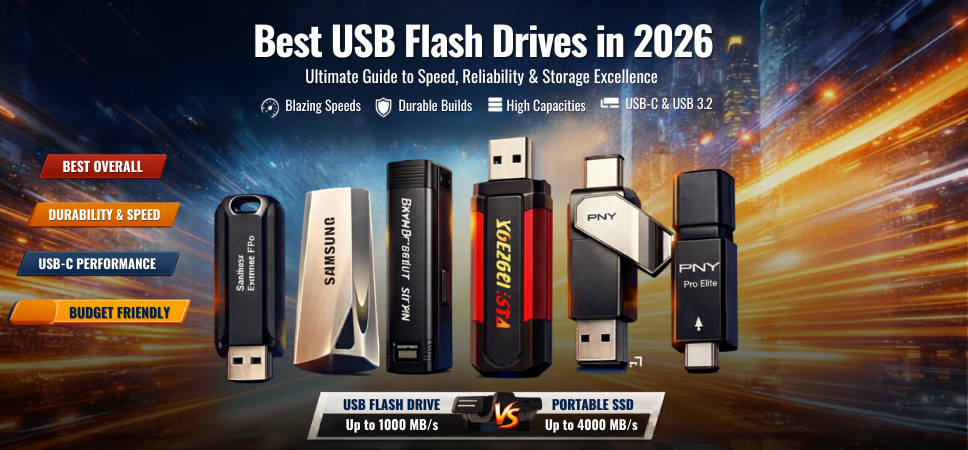
In a world driven by data mobility, instant access, and seamless file transfers, USB flash drives remain one of the most essential storage tools for professionals, students, and everyday users. Despite the rise of cloud storage and portable SSDs, USB drives continue to dominate due to their portability, affordability, and universal compatibility.
We present a comprehensive, deeply researched, and expertly structured guide to the best USB flash drives in 2026, designed to deliver maximum speed, superior durability, and outstanding value across every use case.
Why USB Flash Drives Still Matter in 2026
USB flash drives have evolved significantly, offering high-speed interfaces, increased storage capacities, and advanced security features.
Core advantages include:
- Compact and ultra-portable design
- Plug-and-play convenience
- Wide compatibility across devices
- Affordable storage expansion
- No external power required
Modern USB drives now rival entry-level SSDs in performance, especially with USB 3.2 and USB-C technology.
Top USB Flash Drives in 2026 (Expert Picks)
1. SanDisk Extreme Pro USB 3.2 – Best Overall Performance
The SanDisk Extreme Pro USB 3.2 stands as the gold standard in flash drive performance, delivering SSD-like speeds in a compact form.
Specifications:
- Interface: USB 3.2 Gen 1
- Read Speed: Up to 420 MB/s
- Write Speed: Up to 380 MB/s
- Capacity: 128GB / 256GB / 512GB / 1TB
Key strengths:
- Exceptional transfer speeds
- Durable aluminum casing
- Reliable long-term performance
Best for: Users needing high-speed transfers and professional-grade reliability.
2. Samsung BAR Plus – Premium Metal Build & Durability
The Samsung BAR Plus is known for its robust metal design and consistent performance.
Specifications:
- Read Speed: Up to 400 MB/s
- Interface: USB 3.1
Highlights:
- Waterproof, shockproof, and temperature-resistant
- Sleek and minimalist design
- Excellent brand reliability
Best for: Users who prioritize durability and stylish design.
3. Kingston DataTraveler Max – High-Speed USB-C Performance
The Kingston DataTraveler Max is built for next-generation devices, offering USB-C connectivity and ultra-fast speeds.
Specifications:
- Interface: USB 3.2 Gen 2
- Read Speed: Up to 1000 MB/s
- Write Speed: Up to 900 MB/s
Advantages:
- Blazing-fast data transfers
- Future-proof USB-C interface
- Compact sliding cap design
Best for: Professionals working with large files and modern devices.
4. SanDisk Ultra Dual Drive Luxe – Best for Smartphones
The SanDisk Ultra Dual Drive Luxe provides dual connectivity (USB-A + USB-C).
Specifications:
- Interface: USB 3.1 + USB-C
- Read Speed: Up to 400 MB/s
Features:
- Seamless smartphone compatibility
- All-metal swivel design
- Ideal for quick backups and transfers
Best for: Users who frequently transfer data between phones and computers.
5. Corsair Flash Voyager GTX – SSD-Level Performance
The Corsair Flash Voyager GTX delivers exceptional speeds rivaling external SSDs.
Specifications:
- Read Speed: Up to 440 MB/s
- Write Speed: Up to 440 MB/s
Strengths:
- Consistent high-speed performance
- Durable and premium build
- Ideal for heavy workloads
Best for: Users requiring maximum performance in a USB drive.
6. PNY Pro Elite USB 3.2 – Best Budget Performance
The PNY Pro Elite USB 3.2 offers strong performance at an affordable price.
Specifications:
- Read Speed: Up to 400 MB/s
- Write Speed: Up to 250 MB/s
Why it stands out:
- Excellent value for money
- Reliable everyday performance
- Lightweight design
Best for: Budget-conscious users seeking speed and affordability.
How to Choose the Best USB Flash Drive
1. Interface and Speed
- USB 2.0: Basic, slow speeds
- USB 3.0 / 3.1: Standard performance
- USB 3.2 Gen 2: High-speed transfers
- USB-C: Modern compatibility
Faster interfaces ensure reduced transfer times and improved efficiency.
2. Storage Capacity
Choose based on usage:
- 32GB–64GB: Basic file storage
- 128GB–256GB: Daily use
- 512GB–1TB: Professional workloads
3. Build Quality and Durability
Look for:
- Metal casings
- Water and shock resistance
- Temperature protection
4. Security Features
Premium drives include:
- Hardware encryption
- Password protection
- Secure access software
USB Flash Drive vs Portable SSD
| Feature | USB Flash Drive | Portable SSD |
|---|---|---|
| Speed | Up to 1000 MB/s | Up to 4000 MB/s |
| Portability | Excellent | Excellent |
| Price | Affordable | Expensive |
| Durability | Moderate | High |
| Use Case | Everyday storage | Professional use |
Best USB Flash Drives by Use Case
For Students
- PNY Pro Elite
- SanDisk Ultra
For Professionals
- Kingston DataTraveler Max
- SanDisk Extreme Pro
For Smartphone Users
- SanDisk Ultra Dual Drive Luxe
For Heavy Workloads
- Corsair Flash Voyager GTX
Performance Optimization Tips
- Use USB 3.2 ports for maximum speed
- Avoid low-quality cables or adapters
- Keep firmware updated
- Format drives for optimal performance
Future of USB Flash Drives
The future of USB drives includes:
- USB4 technology with higher speeds
- Increased storage capacities (up to 2TB and beyond)
- Improved durability standards
- Enhanced security features
These advancements will further solidify USB drives as essential tools for portable storage.
Final Verdict: Which USB Flash Drive Should You Choose?
- Best Overall: SanDisk Extreme Pro
- Best Durability: Samsung BAR Plus
- Best Speed: Kingston DataTraveler Max
- Best Budget: PNY Pro Elite
- Best for Phones: SanDisk Ultra Dual Drive Luxe
Choosing the right USB flash drive ensures efficient data transfer, reliable storage, and long-term usability.
FAQs
1. What is a USB flash drive?
A portable storage device using flash memory.
2. Are USB drives reliable?
Yes, especially high-quality models.
3. What speed should I choose?
At least USB 3.0 or higher.
4. Is 64GB enough?
For basic use, yes.
5. Can I use it on phones?
Yes, with USB-C models.
6. Do USB drives need power?
No external power required.
7. What is USB 3.2?
High-speed interface standard.
8. Are metal drives better?
Yes, more durable.
9. Can I install OS on USB?
Yes.
10. Do USB drives overheat?
Slightly under heavy use.
11. What is encryption?
Data protection feature.
12. Are USB drives waterproof?
Some models are.
13. Can I recover deleted files?
Possible with tools.
14. How long do they last?
5–10 years typically.
15. Are USB drives safe?
Yes, with proper use.
16. Can I format them?
Yes.
17. What is plug-and-play?
No setup required.
18. Are they compatible with Mac?
Yes.
19. Which brand is best?
SanDisk, Samsung, Kingston.
20. Are they expensive?
Affordable options available.
21. Can USB drives fail?
Rare but possible.
22. What capacity is best?
128GB–512GB.
23. Can I use for backups?
Yes.
24. Do they support large files?
Yes.
25. Should I buy now?
Yes, great value.