
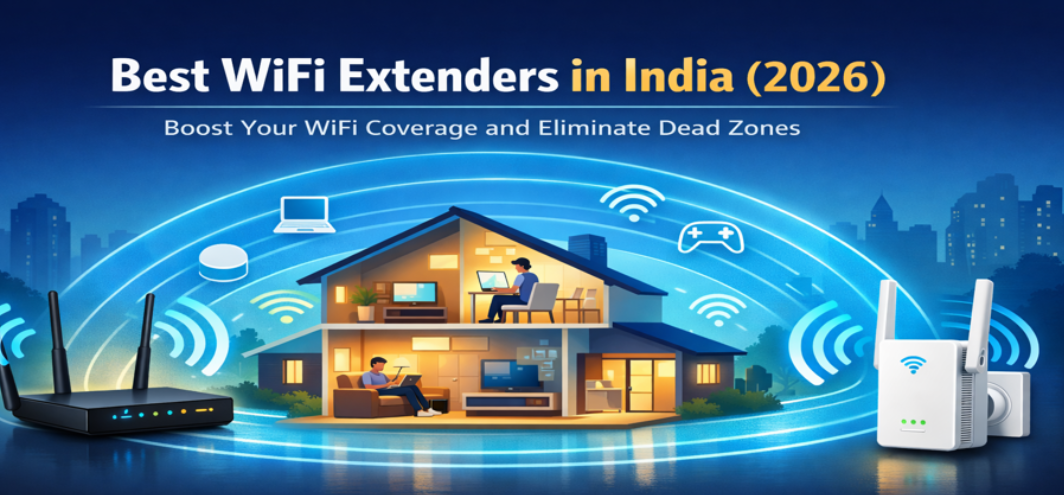
In modern homes and offices, strong and reliable internet connectivity has become essential. Streaming high-definition video, participating in online meetings, gaming, smart home automation, and cloud-based work all demand consistent and uninterrupted WiFi coverage. Unfortunately, many routers cannot cover large homes, multi-floor apartments, or complex building layouts.
This is where WiFi extenders become essential networking devices. A WiFi extender expands the existing wireless network by capturing the router’s signal and rebroadcasting it, effectively eliminating dead zones and weak signal areas.
In this comprehensive guide, we explore the best WiFi extenders in India, examining performance, coverage, compatibility, features, and ideal use cases. The following recommendations help users choose powerful signal boosters capable of delivering stable internet across homes and offices.
What Is a WiFi Extender and How It Improves Network Coverage
A WiFi extender, also known as a WiFi booster or range extender, increases the coverage area of an existing wireless network. It receives the WiFi signal from a router and retransmits it to areas where the signal becomes weak.
Primary Functions of a WiFi Extender
-
Extends wireless signal to distant rooms
-
Eliminates WiFi dead zones
-
Improves connectivity on multiple floors
-
Enhances streaming and gaming stability
-
Supports multiple devices simultaneously
WiFi extenders are especially valuable in large houses, offices, apartments with thick walls, or buildings with multiple floors.
Key Features to Consider Before Buying a WiFi Extender
Choosing the right extender requires evaluating several technical factors that directly influence network performance.
1. Coverage Range
Coverage range determines how far the extender can distribute the wireless signal.
Typical coverage ranges include:
-
Small homes: 800–1200 sq. ft.
-
Medium homes: 1200–2500 sq. ft.
-
Large homes: 2500–4000+ sq. ft.
High-power extenders ensure consistent connectivity throughout the building.
2. Wireless Speed and Band Support
Modern extenders support dual-band or tri-band wireless technology.
Single Band
-
2.4 GHz
-
Slower but longer range
Dual Band
-
2.4 GHz + 5 GHz
-
Faster speeds and improved performance
Tri Band
-
Advanced models with dedicated backhaul channels
Dual-band extenders provide optimal speed and stability for modern networks.
3. Compatibility with Router Standards
Most WiFi extenders support modern WiFi standards including:
-
WiFi 4 (802.11n)
-
WiFi 5 (802.11ac)
-
WiFi 6 (802.11ax)
Selecting a compatible extender ensures maximum network efficiency.
4. Ethernet Ports
Some extenders include Ethernet ports for connecting wired devices such as:
-
Smart TVs
-
Gaming consoles
-
Desktop computers
-
Network storage devices
This feature converts the extender into a wireless access point.
5. Ease of Setup
Modern extenders offer simple installation methods:
-
WPS button setup
-
Mobile app configuration
-
Browser-based setup
Easy setup ensures users can extend their network in minutes.
Top 10 Best WiFi Extenders in India
The following WiFi extenders deliver excellent performance, strong signal amplification, and reliable connectivity for homes and offices.
1. TP-Link RE450 AC1750 – Best Overall WiFi Extender
The TP-Link RE450 is one of the most powerful and reliable WiFi extenders available in India.
Key Specifications
| Feature | Specification |
|---|---|
| Speed | Up to 1750 Mbps |
| Bands | Dual-band |
| Ethernet | Gigabit port |
| Coverage | Up to 2000 sq. ft. |
Highlights
-
High-speed dual-band connectivity
-
Intelligent signal indicator
-
Easy WPS setup
-
Strong compatibility with routers
This extender is ideal for large homes and heavy internet users.
2. Netgear EX6120 AC1200 – Best Value WiFi Extender
The Netgear EX6120 provides excellent wireless coverage with reliable performance.
Key Features
-
Dual-band AC1200 speeds
-
Compact plug-in design
-
Ethernet port for wired devices
-
Smart LED signal indicators
This model is suitable for medium-sized homes and apartments.
3. TP-Link RE200 AC750 – Best Budget WiFi Extender
The TP-Link RE200 is one of the most affordable and efficient WiFi boosters available in India.
Advantages
-
Dual-band wireless
-
Compact design
-
Reliable signal expansion
-
Quick setup process
This extender works well for small homes and budget-conscious users.
4. D-Link DAP-1610 AC1200 – Reliable Performance Extender
D-Link networking devices are known for durability and stable connectivity.
Major Features
-
Dual-band wireless speeds
-
Smart signal LED indicators
-
Ethernet port support
-
Easy mobile setup
This extender provides consistent coverage for everyday internet usage.
5. TP-Link RE650 AC2600 – High-Performance WiFi Extender
The TP-Link RE650 is designed for heavy network usage and large spaces.
Key Strengths
-
Ultra-fast 2600 Mbps speeds
-
Four external antennas
-
Gigabit Ethernet port
-
MU-MIMO technology
This model is perfect for gaming, streaming, and large homes.
6. Netgear EX3700 AC750 – Compact WiFi Range Extender
The Netgear EX3700 offers compact design with strong signal coverage.
Highlights
-
Easy plug-in installation
-
Dual-band support
-
Fast setup with mobile apps
-
Smart roaming capabilities
This extender works well in apartments and smaller homes.
7. Tenda A9 N300 – Best Budget WiFi Booster
The Tenda A9 is a simple and affordable WiFi extender.
Features
-
300 Mbps speed
-
Compact plug-in design
-
Easy configuration
-
Affordable pricing
This model is suitable for basic internet usage.
8. ASUS RP-AC55 AC1200 – Powerful Performance Extender
ASUS networking products are known for advanced performance and stability.
Key Benefits
-
Dual-band AC1200 speeds
-
Multiple operating modes
-
Strong internal antennas
-
Stable connection management
This extender is ideal for homes with multiple devices.
9. Linksys RE6500 AC1200 – High-Speed Wireless Extender
The Linksys RE6500 offers excellent signal coverage and fast wireless speeds.
Major Advantages
-
Dual-band connectivity
-
Gigabit Ethernet port
-
Beamforming technology
-
Audio streaming support
This extender is suitable for advanced networking setups.
10. Mercusys ME30 AC1200 – Best Affordable Dual-Band Extender
Mercusys provides reliable networking devices at affordable prices.
Key Highlights
-
Dual-band WiFi speeds
-
High-gain external antennas
-
Easy installation
-
Good coverage range
This extender is ideal for budget users seeking strong coverage.
Comparison Table of Best WiFi Extenders in India
| WiFi Extender | Speed | Bands | Coverage | Best For |
|---|---|---|---|---|
| TP-Link RE450 | 1750 Mbps | Dual | Large Homes | Streaming |
| Netgear EX6120 | 1200 Mbps | Dual | Medium Homes | General Use |
| TP-Link RE200 | 750 Mbps | Dual | Small Homes | Budget |
| D-Link DAP-1610 | 1200 Mbps | Dual | Medium Homes | Stability |
| TP-Link RE650 | 2600 Mbps | Dual | Large Homes | Gaming |
| Netgear EX3700 | 750 Mbps | Dual | Apartments | Compact Use |
| Tenda A9 | 300 Mbps | Single | Small Spaces | Budget |
| ASUS RP-AC55 | 1200 Mbps | Dual | Medium Homes | Multiple Devices |
| Linksys RE6500 | 1200 Mbps | Dual | Large Homes | Advanced Setup |
| Mercusys ME30 | 1200 Mbps | Dual | Medium Homes | Affordable |
Benefits of Installing a WiFi Extender
WiFi extenders significantly improve wireless network performance.
Key Benefits
-
Eliminates dead zones
-
Improves video streaming quality
-
Enhances online gaming performance
-
Supports multiple connected devices
-
Extends internet coverage to remote rooms
These benefits ensure reliable internet access throughout the building.
Where to Place a WiFi Extender for Maximum Coverage
Placement determines the effectiveness of the extender.
Best Placement Practices
-
Position the extender midway between router and dead zone
-
Avoid placing near thick walls
-
Keep away from microwaves and electronic interference
-
Install at elevated positions for better signal distribution
Proper placement ensures maximum signal strength and coverage.
Common WiFi Problems Solved by Extenders
WiFi extenders address many connectivity issues.
Common Problems
-
Weak signals in bedrooms
-
Slow speeds on upper floors
-
Network dropouts in offices
-
Streaming interruptions
Extenders ensure consistent internet performance across the property.
Tips for Improving Home WiFi Performance
Additional steps can further enhance network quality.
Optimization Tips
-
Update router firmware
-
Use modern WiFi standards
-
Limit network congestion
-
Use strong passwords
-
Position router centrally
Combining these strategies with extenders creates powerful home networking systems.
FAQs
1. What is a WiFi extender?
A device that expands the coverage of an existing WiFi network.
2. Do WiFi extenders increase internet speed?
They improve coverage but cannot increase original internet speed.
3. How far can WiFi extenders reach?
Most models extend coverage by 1000–3000 sq. ft.
4. Are WiFi extenders easy to install?
Yes, many support simple WPS setup.
5. Can extenders work with any router?
Most extenders are compatible with all routers.
6. Are dual-band extenders better?
Yes, they provide faster speeds and stability.
7. Do extenders reduce speed?
Some speed reduction may occur depending on distance.
8. What is the difference between extender and mesh WiFi?
Mesh systems use multiple nodes for seamless coverage.
9. Can extenders connect multiple devices?
Yes, they support many devices simultaneously.
10. Are WiFi extenders good for gaming?
High-speed models work well for gaming.
11. Do extenders support smart home devices?
Yes, they support IoT devices.
12. What is WPS setup?
A one-button connection method.
13. Can extenders work outdoors?
Some models are designed for outdoor use.
14. Are extenders expensive?
Prices range from ₹1,000 to ₹7,000.
15. Do extenders require cables?
Most models connect wirelessly.
16. Can extenders improve video calls?
Yes, they improve connectivity in weak signal areas.
17. Do extenders need power outlets?
Yes, they plug into wall sockets.
18. Can extenders support 4K streaming?
High-speed extenders can support 4K streaming.
19. What is beamforming?
Technology that directs WiFi signals toward devices.
20. Can extenders improve office networks?
Yes, they enhance coverage in workplaces.
21. Are extenders portable?
Most plug-in models are portable.
22. How many extenders can be used?
Multiple extenders can be installed in large buildings.
23. Can extenders replace routers?
No, they work alongside routers.
24. Do extenders support mobile apps?
Many modern extenders support mobile configuration.
25. Are WiFi extenders worth buying?
Yes, they significantly improve network coverage.