
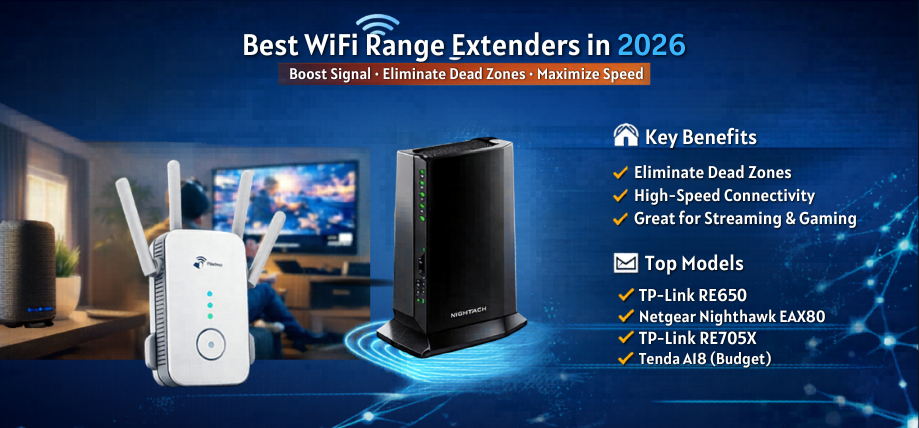
A weak WiFi signal disrupts productivity, streaming, gaming, and smart home performance. In modern homes filled with multiple devices, thick walls, and expansive layouts, traditional routers often fail to deliver consistent coverage. We present a comprehensive, expertly crafted guide to the best WiFi range extenders, designed to boost signal strength, eliminate dead zones, and ensure seamless connectivity across every corner of your space.
What Is a WiFi Range Extender and Why It Is Essential
A WiFi range extender, also known as a WiFi booster or repeater, enhances your existing network by capturing the router’s signal and rebroadcasting it to areas with weak coverage. It ensures:
- Stronger signal in previously unreachable areas
- Improved internet speeds in distant rooms
- Seamless connectivity across floors
- Better performance for streaming and gaming
A high-quality extender transforms inconsistent networks into stable, high-performance wireless systems.
How WiFi Range Extenders Work
WiFi extenders function by:
- Connecting to the existing router wirelessly or via Ethernet
- Amplifying the signal
- Broadcasting it to extended areas
Advanced models use dual-band or tri-band technology, ensuring minimal speed loss and optimal performance.
Key Features of the Best WiFi Range Extenders
1. Dual-Band or Tri-Band Technology
- Dual-band extenders (2.4GHz + 5GHz) improve speed and reduce interference
- Tri-band extenders include a dedicated backhaul channel for enhanced performance
2. High-Speed Ratings (AC1200 to AX3000+)
Speed ratings determine performance:
- AC1200–AC1900: Suitable for streaming and everyday use
- AX3000+: Ideal for gaming and heavy usage
3. Coverage Area
Top extenders can cover up to 2000–5000 sq. ft., ensuring complete home coverage.
4. Ethernet Ports
Provide wired connections for gaming consoles, smart TVs, and PCs, ensuring stable performance.
5. Easy Setup and Smart App Control
Modern extenders offer plug-and-play installation with mobile app configuration.
6. Compatibility
Ensure compatibility with all routers and ISPs.
7. Signal Indicators
LED indicators help find the optimal placement for maximum efficiency.
Top 10 Best WiFi Range Extenders in 2026
1. TP-Link RE650 (AC2600)
- Dual-band with 2600 Mbps speed
- 4 external antennas
- Excellent coverage and performance
2. Netgear Nighthawk EAX80 (AX6000)
- WiFi 6 technology with ultra-fast speeds
- Ideal for gaming and heavy usage
- Large coverage area
3. TP-Link RE705X (AX3000)
- WiFi 6 support
- Compact design
- High-speed performance
4. D-Link DAP-X1860 (AX1800)
- Affordable WiFi 6 extender
- Strong signal coverage
- Easy setup
5. Netgear EX7300 (AC2200)
- Fast dual-band speeds
- MU-MIMO support
- Great for HD streaming
6. TP-Link RE450 (AC1750)
- Reliable performance
- Wide coverage
- Easy configuration
7. ASUS RP-AX56 (AX1800)
- WiFi 6 extender
- Mesh compatibility
- Stable connectivity
8. Linksys RE7000 (AC1900)
- Seamless roaming
- Compact design
- Good performance
9. Tenda A18 (AC1200)
- Budget-friendly
- Decent coverage
- Easy installation
10. Mercusys ME30 (AC1200)
- Affordable option
- Suitable for small homes
- Simple setup
Best WiFi Range Extenders for Different Needs
Best for Large Homes
- Netgear Nighthawk EAX80
- TP-Link RE650
Provide extensive coverage and high-speed performance.
Best for Gaming and Streaming
- TP-Link RE705X
- ASUS RP-AX56
Deliver low latency and stable connectivity.
Best Budget WiFi Extenders
- Tenda A18
- Mercusys ME30
Ideal for basic internet usage and small spaces.
Best for Smart Homes
- Extenders with mesh compatibility and app-based control.
WiFi Range Extender vs Mesh WiFi System
| Feature | WiFi Extender | Mesh WiFi System |
|---|---|---|
| Cost | Affordable | Higher |
| Setup | Easy | Moderate |
| Coverage | Extended zones | Whole-home |
| Network Name | Multiple SSIDs | Single SSID |
| Performance | Moderate | High |
WiFi extenders are cost-effective solutions, while mesh systems provide premium seamless coverage.
How to Choose the Best WiFi Range Extender
Evaluate Your Coverage Needs
Identify dead zones and select extenders that match required coverage area.
Match Speed with Router
Choose extenders with speeds equal to or higher than your router’s capacity.
Consider Device Load
For multiple devices, select extenders with MU-MIMO support.
Check Placement Flexibility
Look for extenders with signal indicators and flexible positioning.
Ensure Future Compatibility
Opt for WiFi 6 extenders for long-term performance.
Installation Tips for Maximum WiFi Coverage
- Place extender midway between router and dead zone
- Avoid thick walls and interference
- Use 5GHz band for speed and 2.4GHz for range
- Keep firmware updated
- Test placement using signal indicators
Advantages of WiFi Range Extenders
- Affordable solution for expanding coverage
- Easy plug-and-play setup
- Improved signal strength in weak areas
- Better performance for streaming and browsing
- Compatible with existing routers
Common Mistakes to Avoid
- Placing extenders too far from the router
- Choosing low-speed models for high-speed plans
- Ignoring compatibility
- Overloading the network
- Not optimizing placement
Performance Comparison of Top WiFi Range Extenders
| Model | Speed | Band | Coverage | Best For |
|---|---|---|---|---|
| TP-Link RE650 | AC2600 | Dual | Large homes | Streaming |
| Netgear EAX80 | AX6000 | Dual | Very large | Gaming |
| TP-Link RE705X | AX3000 | Dual | Medium-large | High-speed |
| D-Link X1860 | AX1800 | Dual | Medium | Budget WiFi 6 |
| Netgear EX7300 | AC2200 | Dual | Medium | Streaming |
Future Trends in WiFi Range Extenders
- WiFi 6E and WiFi 7 integration
- AI-based signal optimization
- Seamless mesh-extender hybrid systems
- Improved energy efficiency
- Enhanced cybersecurity features
These advancements will transform extenders into intelligent network enhancement devices.
Conclusion
Selecting the best WiFi range extender ensures strong, reliable, and uninterrupted internet connectivity across every part of your home. With advanced technologies like WiFi 6, MU-MIMO, and beamforming, modern extenders deliver high-speed performance and enhanced coverage. Investing in a high-quality extender guarantees seamless connectivity, improved productivity, and superior online experiences.
FAQs
General Questions
- What is a WiFi range extender?
A device that boosts and extends WiFi coverage. - Do extenders improve speed?
They improve coverage, not base speed. - Are extenders compatible with all routers?
Yes, most models are universal. - How long do extenders last?
Typically 3–5 years. - Can extenders reduce dead zones?
Yes, effectively.
Setup and Usage
- Where should I place my extender?
Between router and dead zone. - Is installation easy?
Yes, plug-and-play. - Can I use multiple extenders?
Yes. - Do extenders need updates?
Yes. - Can extenders support smart devices?
Yes.
Technical
- What is dual-band?
2.4GHz + 5GHz frequencies. - What is WiFi 6?
Latest wireless standard. - What is MU-MIMO?
Multi-device communication technology. - What is beamforming?
Targeted signal delivery. - Do extenders have Ethernet ports?
Yes.
Security
- Are extenders secure?
Yes, with encryption. - Can they be hacked?
Use strong passwords. - Do they support guest networks?
Yes. - Are firmware updates important?
Yes. - Can I control devices?
Yes, via apps.
Buying
- Are expensive extenders better?
Yes, for performance. - Which brand is best?
TP-Link, Netgear, ASUS. - Should I choose WiFi 6?
Yes. - Do extenders work with fiber internet?
Yes. - Are extenders energy efficient?
Yes.