
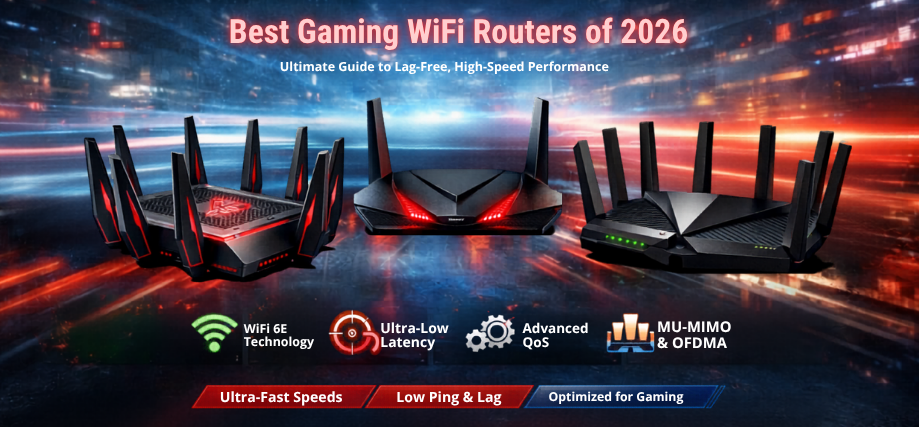
In the competitive world of online gaming, every millisecond matters. Whether we are engaged in fast-paced FPS battles, immersive RPGs, or real-time multiplayer strategy games, the backbone of seamless gameplay lies in a powerful, high-performance gaming WiFi router. We present a comprehensive, expertly curated guide to the best WiFi routers for gaming, engineered to deliver ultra-low latency, maximum speed, and rock-solid stability.
Why a Dedicated Gaming WiFi Router Is Essential
Standard routers struggle under the pressure of high-bandwidth gaming traffic, multiple devices, and real-time data transmission. Gaming routers are purpose-built to deliver:
- Ultra-low latency for competitive gameplay
- High-speed data transfer with minimal packet loss
- Advanced Quality of Service (QoS) for traffic prioritization
- Stable connections across multiple devices
- Enhanced security and network control
With optimized hardware and software, gaming routers ensure consistent performance even during peak network usage.
Key Features of the Best WiFi Routers for Gaming
1. Ultra-Fast Speeds (AX3000 to AX11000)
Gaming routers offer speeds ranging from AX3000 to AX11000, ensuring smooth streaming, downloads, and gameplay.
2. WiFi 6 and WiFi 6E Technology
The latest standards deliver:
- Lower latency
- Higher capacity
- Improved efficiency in crowded networks
3. Advanced QoS (Quality of Service)
QoS allows us to prioritize gaming traffic, ensuring uninterrupted performance.
4. MU-MIMO and OFDMA Technology
These technologies enable routers to communicate with multiple devices simultaneously, reducing lag.
5. Beamforming for Targeted Signal Strength
Beamforming focuses the WiFi signal toward devices, improving connection stability and speed.
6. High-Performance Processors
Gaming routers feature multi-core CPUs and large RAM capacities, ensuring smooth data processing.
7. Low Latency Optimization
Special gaming modes reduce ping and jitter, delivering responsive gameplay.
Top 10 Best WiFi Routers for Gaming in 2026
1. ASUS ROG Rapture GT-AX11000
- Tri-band WiFi 6 with 11000 Mbps speed
- Dedicated gaming port
- Advanced gaming dashboard
2. Netgear Nighthawk XR1000
- Powered by DumaOS for gaming optimization
- Geo-filtering technology
- Ultra-low latency performance
3. TP-Link Archer AX90
- Tri-band AX6600 speed
- Strong coverage with multiple antennas
- Excellent for high-density gaming environments
4. ASUS RT-AX86U
- Optimized for console gaming
- Adaptive QoS
- High-speed performance
5. Netgear Nighthawk AX12 (RAX120)
- Powerful processor
- Wide coverage area
- Reliable multi-device handling
6. TP-Link Archer GX90
- Dedicated gaming band
- Low-latency optimization features
- High-speed connectivity
7. Linksys Hydra Pro 6
- WiFi 6 performance
- Easy setup and management
- Stable connectivity
8. ASUS TUF Gaming AX5400
- Durable build
- Gaming-focused features
- Affordable performance
9. D-Link DIR-X5460
- High-speed AX5400 performance
- Strong signal coverage
- Good value for gamers
10. Netgear Nighthawk Pro Gaming XR500
- Advanced QoS
- Reliable performance
- Competitive gaming optimization
Best Gaming Routers for Different Use Cases
Best for Competitive Esports Gaming
- ASUS ROG Rapture GT-AX11000
- Netgear XR1000
These routers deliver ultra-low latency and precise network control.
Best for Console Gaming (PS5, Xbox)
- ASUS RT-AX86U
- TP-Link Archer GX90
Optimized for console connectivity and minimal lag.
Best for Multi-Device Gaming Homes
- TP-Link Archer AX90
- Netgear AX12
Perfect for households with multiple gamers and streaming devices.
Best Budget Gaming Routers
- ASUS TUF AX5400
- D-Link DIR-X5460
Affordable yet powerful solutions for high-performance gaming.
WiFi 6 vs WiFi 5: Which Is Better for Gaming?
| Feature | WiFi 5 (AC) | WiFi 6 (AX) |
|---|---|---|
| Speed | Moderate | Ultra-fast |
| Latency | Higher | Lower |
| Device Handling | Limited | High capacity |
| Efficiency | Standard | Advanced |
| Gaming Performance | Good | Excellent |
WiFi 6 routers offer superior performance, reduced lag, and better handling of multiple devices, making them ideal for gaming.
How to Choose the Best WiFi Router for Gaming
Evaluate Internet Speed
Ensure the router supports speeds matching your ISP plan.
Check Latency Optimization Features
Look for routers with gaming modes, QoS, and geo-filtering.
Consider Coverage Area
Large homes require routers with strong antennas or mesh support.
Assess Device Load
For multiple gamers, choose routers with MU-MIMO and OFDMA.
Look for Wired Connectivity Options
Gigabit Ethernet ports provide stable connections for gaming consoles and PCs.
Gaming Router Setup Tips for Maximum Performance
- Place the router in a central location
- Use Ethernet connections for gaming devices
- Enable QoS to prioritize gaming traffic
- Update firmware regularly
- Use 5GHz or 6GHz bands for lower latency
Advantages of High-Performance Gaming Routers
- Reduced lag and faster response times
- Stable connections for multiplayer gaming
- Improved streaming and downloading speeds
- Enhanced network security
- Optimized bandwidth allocation
Common Mistakes to Avoid
- Using basic routers for competitive gaming
- Ignoring latency and QoS features
- Poor router placement
- Overloading the network with devices
- Not updating firmware
Performance Comparison of Top Gaming Routers
| Router Model | Speed | Band | Key Feature | Best For |
|---|---|---|---|---|
| ASUS GT-AX11000 | 11000 Mbps | Tri | Gaming port | Esports |
| Netgear XR1000 | AX5400 | Dual | DumaOS | Low latency |
| TP-Link AX90 | AX6600 | Tri | High capacity | Multi-device |
| ASUS RT-AX86U | AX5700 | Dual | Adaptive QoS | Console gaming |
| TP-Link GX90 | AX6600 | Tri | Gaming band | Performance |
Future Trends in Gaming Routers
- WiFi 7 technology for ultra-low latency
- AI-driven traffic management
- Integration with cloud gaming platforms
- Advanced cybersecurity features
- Mesh gaming networks for seamless coverage
These innovations will redefine gaming by delivering uninterrupted, ultra-fast connectivity.
Conclusion
Selecting the best WiFi router for gaming requires a focus on speed, latency, coverage, and advanced features. With cutting-edge technologies like WiFi 6, QoS optimization, and multi-device handling, modern gaming routers provide exceptional performance and reliability. Investing in a high-quality router ensures competitive advantage, smoother gameplay, and uninterrupted gaming sessions.
FAQs
General Questions
- What is the best router for gaming?
High-speed WiFi 6 routers with QoS are ideal. - Do gaming routers reduce lag?
Yes, significantly. - Is WiFi or Ethernet better for gaming?
Ethernet is more stable. - What speed is required for gaming?
At least 50 Mbps recommended. - Can multiple devices affect gaming?
Yes, without proper router features.
Setup and Usage
- Where should I place my router?
Central location. - Can I use any router for gaming?
Yes, but gaming routers perform better. - Do routers need updates?
Yes, regularly. - What band is best for gaming?
5GHz or 6GHz. - Can I prioritize gaming traffic?
Yes, using QoS.
Technical
- What is latency?
Delay in data transmission. - What is ping?
Network response time. - What is MU-MIMO?
Multi-device communication technology. - What is beamforming?
Targeted signal delivery. - What is WiFi 6?
Latest wireless standard.
Security
- Are gaming routers secure?
Yes, with advanced encryption. - Can routers be hacked?
Use strong passwords. - Do routers have firewalls?
Yes. - Can I create guest networks?
Yes. - Is parental control available?
Yes.
Buying
- Are expensive routers worth it?
Yes, for performance. - Which brand is best?
ASUS, Netgear, TP-Link. - Do gaming routers last long?
5–7 years. - Should I buy WiFi 6?
Yes, for future-proofing. - Are tri-band routers better?
Yes, for heavy usage.